


When talking about WiFi at home, the problem often isn’t having a slow connection, but not being able to bring it where it’s truly needed. It’s a situation we all know: router in the living room, great speed near the modem, then you move to the bedroom, the study, or maybe the upper floor and buffering starts, video calls become unstable, and smart devices lose the signal. Not to mention that if you have a garden, the issue becomes even more complicated.
And it’s exactly here that the Tenda A18 Pro comes into play, a dual‑band AC1200 WiFi repeater that doesn’t aim to replace a mesh system or promise miracles, but to do one very concrete thing: extend the signal where it’s really needed, with a simple setup and an affordable price. At under €30, it’s one of those products that’s often bought “to try”, but that, after a few days of use, end up becoming a definitive solution.
Tenda A18 Pro: features, performance and why it’s one of the best budget WiFi extenders
@gizchina #adv link in bio If the WiFi only works well near the router you’re not the only one. The problem isn’t the connection, but the coverage at home. With this WiFi extender under €30 I’ve eliminated the dead zones: in the room it wouldn’t even load a video, now I browse, stream and work without problems. The Tenda A18 Pro is easy to use, it also has the Gigabit Ethernet port for TV and a console, and it’s a practical solution if you don’t want to spend too much. It’s not a mesh system, but for the price it does exactly what it’s supposed to do. #wifi #extenderwifi #ripetitorewifi #tech ♫ original audio – GizChina.It a2 Tech a2
Design and build: simple, but sturdier than expected
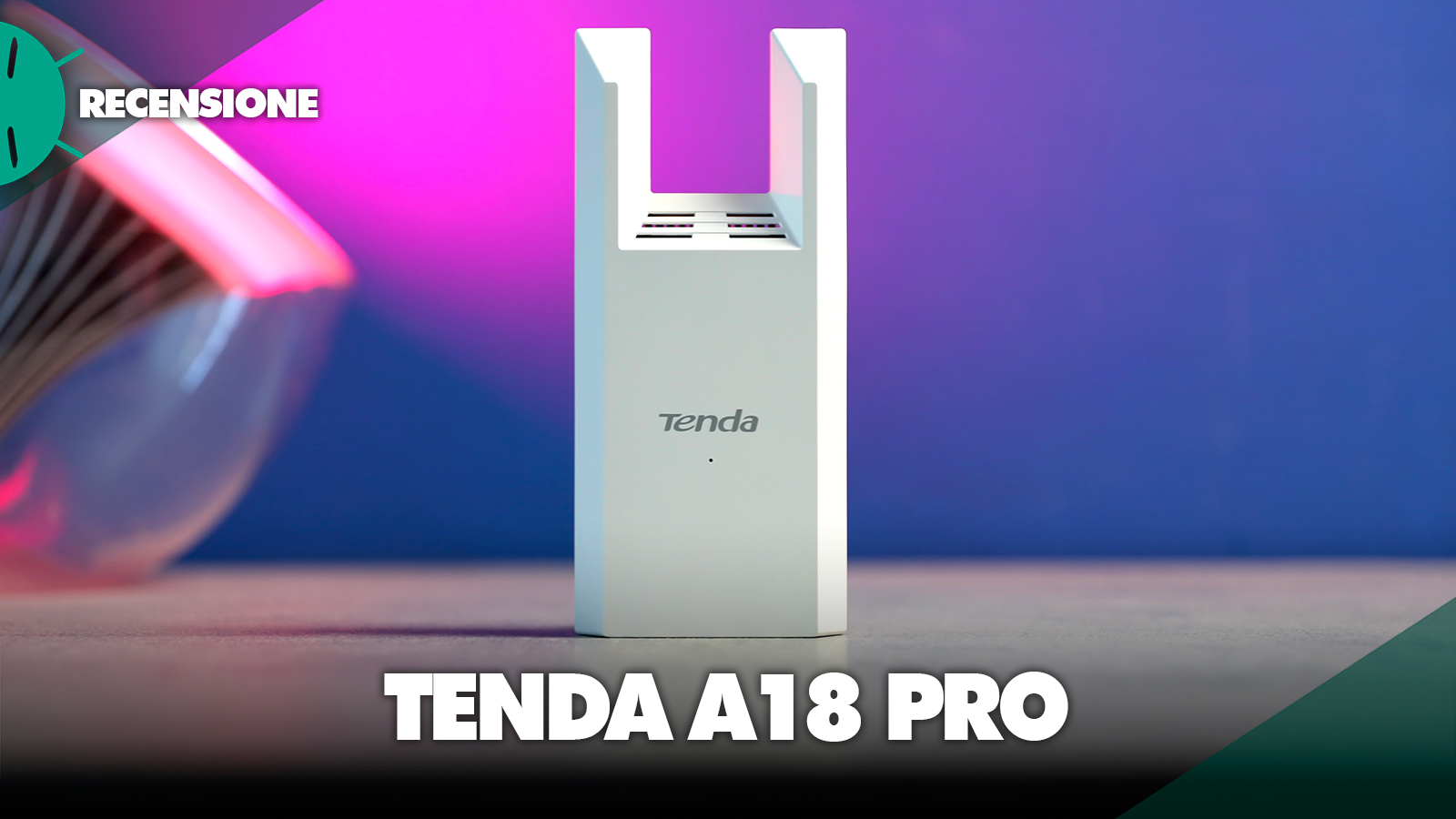
The Tenda A18 Pro is the classic wall‑plug WiFi repeater, so no bases, no cables and no external power adaptor: it plugs straight into the mains and stays there, always on. The design is clean, all white matte, with a finish that doesn’t trap fingerprints and blends easily into any home environment, without giving the impression of an invasive tech object attached to the wall.


The dimensions are fairly generous compared to other cheap WiFi extenders, especially in height, and this translates into a small compromise: on some power strips or multiple outlets it can take up more space than expected. In addition, there is the absence of a pass-through outlet, so the outlet you plug it into becomes completely occupied. It’s not a serious defect, but it’s something to consider in rooms where outlets are scarce.
In terms of build quality, however, the Tenda A18 Pro pleasantly surprises. The plastic is simple, as one would expect in this price range, but it is well built, doesn’t creak and gives a feeling of solidity above the average of budget WiFi repeaters. It also has two external 3 dBi antennas that, however, are not adjustable but remain fixed.

On the front panel you’ll find a small smart LED, which is not just an aesthetic detail but a fundamental tool for everyday use: it changes color based on the quality of the received signal and lets you immediately know whether the extender is positioned correctly or not. It’s one of those things that may seem secondary, but in practice it really makes a difference.
On the side, there is the WPS/Reset button for quick setup, next to which is the Gigabit Ethernet port, one of the elements that distinguishes this model from cheaper competitors. It allows you to directly connect a Smart TV, a console, or a PC and obtain a more stable connection than WiFi alone, effectively turning the Tenda A18 Pro into a kind of ‘network bridge’.
Overall, it’s not a product that focuses on design or premium materials, but it’s clear that it was designed with a clear objective: to be practical, functional, and easy to use. And from this point of view, it does exactly what it has to do, without unnecessary complications.Configurazione e caratteristiche: semplice e immediato
The setup is one of its strengths. It can be done via WPS or with the Tenda WiFi app, which guides you step by step even if you have no experience. The trick is to configure it near the router and then move it to an intermediate position between the router and the area with weak coverage, using the smart LED that indicates the signal quality. Once installed correctly, the Tenda A18 Pro becomes practically invisible: it stays connected stably and does not require ongoing interventions.

The Tenda A18 Pro is a dual-band AC1200 WiFi repeater with support for 2.4 GHz and 5 GHz networks, capable of theoretically reaching up to 867 Mbps on the faster band and 300 Mbps on the 2.4 GHz band. What makes the difference is the Gigabit Ethernet port, which allows you to connect devices such as a Smart TV, game console, or PC and achieve a more stable connection. It supports both repeater mode and access point mode, making it very versatile even in different configurations. Security is guaranteed by WPA/WPA2 and management is easy via the interface or app.
Tenda A18 Pro Performance: real WiFi speeds 5 GHz and 2.4 GHz
The most interesting part is understanding how it actually behaves in everyday use, because this is where an inexpensive WiFi extender makes the difference between being useful or pointless. In a standard home environment, with a router in the living room and a few rooms that are harder to reach, the Tenda A18 Pro manages to noticeably improve coverage.

On the 5 GHz band, close to the repeater, I recorded a signal around -20 dBm with a link at 866 Mbps and real speeds reaching up to about 260 Mbps in download. It’s a very good result for a WiFi extender in this price range, especially because it enables 4K streaming, fast downloads and gaming without issues. Moving to the master bedroom, with weaker signal, the connection remains stable around 780 Mbps with real speeds above 200 Mbps, so still perfectly usable.

In the most difficult rooms, such as the bathroom or farther areas, the signal drops but remains stable, with values fluctuating between 120 and 140 Mbps for download. In short: areas of the house that were almost unusable become suddenly usable without problems. On the 2.4 GHz band, the behavior is more geared toward coverage than speed, with actual values between 50 and 100 Mbps, perfect for smart homes and less demanding devices. It is not a mesh system, so roaming is not as smart at the same level, but in real use the difference is less noticeable than you might think.
Ripetitore WiFi o sistema mesh: cosa conviene davvero?
A WiFi extender like the Tenda A18 Pro makes sense when you have a specific problem to solve, such as a room with weak signal or an area of the home with poor coverage. It is the most economical and immediate solution. A mesh system, on the other hand, is designed to cover large spaces evenly and with intelligent network management, but it costs a lot more. If you have an apartment or a house with some dead spots, this WiFi repeater is more than enough. If, instead, you are starting from scratch or you have a large house, then it is worth considering a mesh system.
Confronto con altri ripetitori WiFi economici
Compared to other affordable WiFi extenders, the Tenda A18 Pro stands out for having a Gigabit port and for very balanced performance on the 5 GHz band. It doesn’t have WiFi 6 and it’s not the most advanced on the market, but it manages to offer a more complete experience than many models in the same price range. It is a practical choice for those looking for a simple but effective home WiFi extender.
Prezzo di vendita e considerazioni
The retail price of the Tenda A18 Pro is €34.99 but it is currently discounted on Amazon for €23.93. And there’s no denying that at this price the value-for-money becomes very attractive. It’s not the most powerful product on the market, but it’s one of the most sensible options for those who want to improve their WiFi without spending too much. It does exactly what it promises, without complications.

The Tenda A18 Pro is convincing for its ease of use, its real-world performance on 5 GHz, the presence of a Gigabit port, and a very affordable price. On the other hand, one must accept the absence of WiFi Mesh, the lack of WiFi 6 support, and the absence of a pass-through outlet. Moreover, like all WiFi repeaters, it requires proper placement to work at its best.
If you’re looking for a powerful and affordable WiFi extender to improve home coverage without complicating things, the Tenda A18 Pro is a solid choice. It’s not designed for those who want the maximum or a perfect network, but for most users it represents one of the best affordable WiFi extenders available today.
Se non visualizzi correttamente il box qui sotto, prova a disattivare AdBlock.
I link di acquisto presenti in questo articolo generano una piccola commissione per GizChina.it. Scopri tutti i dettagli qui.
FAQ Tenda A18 Pro
Does the Tenda A18 Pro really work as a WiFi extender?
Yes, the Tenda A18 Pro works well in improving WiFi coverage in areas where the router’s signal is weak. It doesn’t work miracles, but when placed correctly it can deliver a stable connection even in rooms where it was previously unusable.
How much does the speed increase with the Tenda A18 Pro?
The Tenda A18 Pro doesn’t increase your internet connection speed, but it extends the signal. In covered areas it can reach over 200 Mbps on the 5 GHz band, while in the more distant rooms it still remains usable between 100 and 150 Mbps.
How much does the speed increase with the Tenda A18 Pro?
It depends on your needs. The Tenda A18 Pro is perfect for solving localized problems at home on a budget, while a WiFi mesh system is more suited to covering large homes with a uniform network and no interruptions.
Is the Tenda A18 Pro compatible with all routers?
Yes, the Tenda A18 Pro is compatible with any standard WiFi router, regardless of operator or model. It can be easily configured via WPS or the dedicated app.
Does the Tenda A18 Pro support WiFi 6?
No, the Tenda A18 Pro is a WiFi 5 AC1200 extender, so it does not support WiFi 6. This isn’t a problem for most users, but should be considered if you own very recent devices.
Can you connect a Smart TV or a console via cable?
Yes, thanks to the built‑in Gigabit Ethernet port, the Tenda A18 Pro lets you connect devices like a Smart TV, console, or PC via a cable, improving stability and continuity of the connection.
Where should the Tenda A18 Pro be placed to work best?
The Tenda A18 Pro should be placed in a middle zone between the router and the area where the signal is weak. If placed too far from the router, it will extend an already weak signal and performance will suffer.
Is it worth buying the Tenda A18 Pro in 2026?
Yes, if you’re looking for an affordable and easy-to-use WiFi extender to improve home coverage, the Tenda A18 Pro remains a sensible choice in 2026, especially considering its price under €30.

