


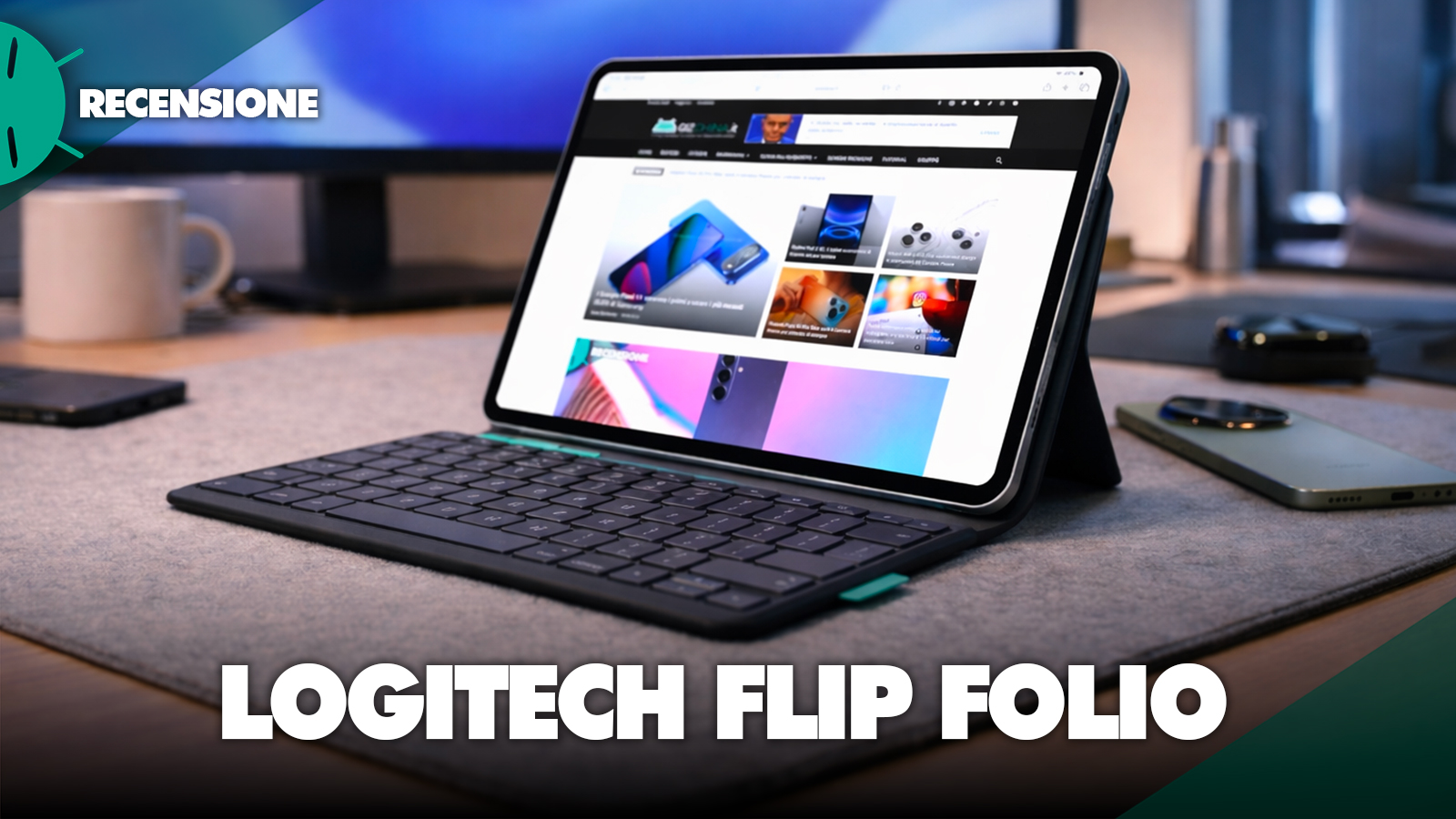
When it comes to iPad accessories designed to boost productivity, Logitech is one of those brands that over the years has built real credibility, especially among those who use the Apple tablet as an alternative to a laptop. With the Logitech Flip Folio, the company tries something different from the classic covers with an integrated keyboard, introducing a more flexible and modular concept that, at least on paper, should adapt better to different use cases.
After using it as the main cover for several days, I can say that we are looking at an extremely interesting product, but also very specific, with evident strengths and trade-offs that not everyone will be willing to accept.
Logitech Flip Folio for iPad review: pros and cons
Logitech Flip Folio: design, materials and real protection in daily use
Logitech Flip Folio is not a cover that aims to impress with lightness or minimalism; on the contrary, from the first touch you clearly perceive that the focus has been placed on protection and sturdiness. The external cover uses high-quality plastic materials with a slightly grippy matte finish that improves grip and reduces the chance of the iPad slipping on smooth surfaces, while the inner shell is rigid and designed to wrap the device completely, protecting not only the back but also the edges, which are often the most vulnerable points in case of a drop.


In everyday use, this structure translates into a sense of security that is much higher than in slim covers, especially when you carry the iPad in a backpack or use it outside the home, but at the same time it introduces one of the main trade-offs of the product, namely its weight, which is noticeably higher than average and over the long term changes the very perception of the iPad, making it feel more like a hybrid device than a pure tablet.

As is often the case with iPad-specific covers, the Logitech Flip Folio is compatible only with specific models, and this is something to consider carefully before purchase. The fit is extremely precise, and this guarantees effective protection and high stability during use, but it also means there is little room for adjustment for different devices. If you change iPad models, you’re very likely to need a new cover, making this accessory less “long-lasting” than other more universal solutions.
Detachable keyboard: the real element that changes the experience
The real breaking point compared to other keyboard covers, however, is Logitech’s choice to make the keyboard itself completely removable, kept attached to the cover via a magnetic system. This approach lets you use the Flip Folio in two distinct ways: in the “laptop” mode, with the keyboard positioned in front of the screen, or in a separate mode, with the iPad on a stand and the keyboard freely placed on a desk or even on your lap.

In real use, this flexibility proves much more useful than one might initially imagine, because it allows you to improve ergonomics during typing, reducing the distance between hands and keyboard and letting the screen be placed at a more natural height for the eyes. The magnetic system is well implemented, the keyboard stays firmly in place when attached and there are no accidental detachments during transport, but at the same time it’s easy to remove when needed, making the transition between the two modes immediate and natural.
Logitech Flip Folio writing experience: category-leading quality
From a typing perspective, Logitech once again confirms its expertise in the peripheral space, offering a keyboard that, while thin and compact, manages to deliver an experience very close to that of a traditional laptop. The keys are well spaced, with travel that provides a clear and precise feedback, avoiding the often “flat” feel that characterizes keyboards integrated into cheap covers.

During long-form writing, emails, or articles, there isn’t a real limitation, and after a few minutes of adapting you can work smoothly and continuously, without frequent mistakes or excessive fatigue. Another element that contributes to the improved experience is the presence of dedicated function keys, which allow you to quickly control brightness, volume, multimedia controls, and other system functions, reducing the need to constantly interact with the screen and making the iPad even more laptop-like.
Usage mode and support: how it performs between work and entertainment
The Flip Folio’s structure doesn’t stop at integrating a keyboard; it also includes a stand system designed to adapt to different scenarios, from writing to viewing multimedia content. The folding mechanism allows you to position the iPad at different angles while maintaining good stability even during direct interaction with the display, for example when touching the screen or using Apple Pencil.

In desk use, the system works very well, offering a solid and reliable base, while on the go, especially on the legs, the overall weight of the cover can make the experience less comfortable than lighter solutions. For watching videos, TV series or YouTube content, the stand mode is effective and stable, but it’s clear that the Flip Folio shines best when used as a productivity tool rather than just a stand for entertainment.
Bluetooth connectivity and Logitech-integrated technologies
The keyboard of the Logitech Flip Folio uses a low-energy Bluetooth connection, designed to provide stability and long-term autonomy. The pairing process is extremely simple and immediate: just turn on the keyboard and select it in the iPad’s Bluetooth settings to start using it in a few seconds. During use I didn’t encounter latency or disconnections, and the typing response has always been ready and reliable, even during extended writing sessions.
One aspect that might surprise is the simplicity of the software experience, because unlike other more advanced Logitech accessories, the Flip Folio does not require the mandatory use of a dedicated app to function properly. This means the experience is immediate and accessible even to those who aren’t particularly comfortable with technical configurations, making the product usable practically straight out of the box.


At the same time, for those who want a bit more control, it is possible to access the Logitech ecosystem for firmware updates, even though it does not offer a high level of customization. This choice makes the Flip Folio a very straightforward product, with no software frills, but also less customizable than other more advanced solutions.
Autonomia Logitech Flip Folio: uno dei punti di forza reali
L’autonomia è uno dei aspetti più convincenti della Logitech Flip Folio. Grazie alla tecnologia Bluetooth a basso consumo e alla gestione intelligente dello standby, la tastiera è progettata per durare a lungo senza richiedere ricariche frequenti. Nell’uso quotidiano questo si traduce in un’esperienza estremamente rilassata, in cui non è necessario preoccuparsi continuamente della ricarica, come invece accade con altri accessori wireless.

Prezzo di vendita e considerazioni
The price of the Logitech Flip Folio sits at the high end of the market; currently on Amazon it is discounted to 166 euros for the 11” version, to reach 181 euros for the 13” version, and it’s undeniable that price is one of the main factors to consider. It’s not a negligible amount, especially considering the presence of cheaper alternatives with an integrated keyboard, but it’s important to contextualize the cost based on the features offered. The build quality, the detachable keyboard, and the overall user experience partly justify the price, but only for those who are able to truly take advantage of the product’s flexibility. For occasional or predominantly multimedia use, the cost could prove excessive relative to the benefits.

After extended use, the Logitech Flip Folio proves to be a well-designed product with a clear identity, capable of standing out in a very crowded market. Among the strengths we find, without a doubt, the keyboard quality, the versatility offered by the modular configuration, and the excellent battery life, elements that help transform the iPad into a more productive tool and closer to a laptop. Among the weaknesses, however, is the weight, which affects mobile use, and the price, which limits the potential audience to those with specific and well-defined needs.
The Logitech Flip Folio for iPad is one of the most interesting and intelligent keyboard cases currently available, but it’s not a universal solution. It is designed for those who use the iPad intensively, especially for writing, working or studying, and are looking for an accessory that offers greater flexibility than traditional solutions. If you fall into this type of usage, the Flip Folio can represent a sensible investment capable of concretely improving your everyday experience, while if you use the iPad mainly for multimedia content or light activities, probably the weight and the price are not justified. Ultimately, Logitech has created a mature, well-built product with a strong underlying idea, which manages to stand out not so much for revolutionizing the market, but for offering a different, more adaptable solution and, in some cases, decidedly smarter.
Se non visualizzi correttamente il box qui sotto, prova a disattivare AdBlock.
I link di acquisto presenti in questo articolo generano una piccola commissione per GizChina.it. Scopri tutti i dettagli qui.
FAQ on Logitech Flip Folio for iPad
Is Logitech Flip Folio compatible with all iPads?
No, Logitech Flip Folio is not compatible with all iPads. It is a cover designed for specific models, so before purchasing you need to carefully check compatibility with your tablet. Precisely because the structure is custom-made, the fit is very precise and this improves both protection and stability during use, but it makes the product less flexible if you change devices.
Is the Logitech Flip Folio keyboard removable?
Yes, and this is precisely its most interesting feature. The Bluetooth keyboard of the Logitech Flip Folio can be completely detached from the cover and used separately from the iPad. In everyday use this solution is very convenient because it allows you to place the screen farther away and the keyboard closer to your hands, improving posture and ergonomics especially during prolonged typing.
Does Logitech Flip Folio connect with the Smart Connector?
No, Logitech Flip Folio uses a Bluetooth connection and does not use Apple’s Smart Connector. The connection is nonetheless very simple: turn on the keyboard, start pairing from the iPad’s Bluetooth settings, and you’re ready to work in a few seconds. During use the connection is stable and reliable, with no noticeable lag or disconnections.
Is Logitech Flip Folio comfortable for writing?
Yes, in this respect it is one of the most convincing solutions in its category. The keyboard offers well-spaced keys, adequate travel and precise feedback, characteristics that make writing pleasant even for long texts. It doesn’t completely replace a high-end notebook keyboard, but for iPad use for emails, documents, notes or articles, the experience is definitely positive.
Is the Logitech Flip Folio heavy?
Yes, one of the main limits of the Logitech Flip Folio is indeed its weight. The cover is sturdy, protects the iPad well and is built with solid materials, but all this inevitably affects manageability. On a desk you don’t notice it much, but on the go or when used on the legs the difference from a traditional cover is clearly felt.
Does Logitech Flip Folio protect the iPad well?
Yes, protection is one of the best-executed aspects of the product. The cover wraps the tablet well, the edges are reinforced and the construction conveys a sense of security higher than many slimmer alternatives. It’s not a rugged case, but for everyday use it offers a convincing level of protection against minor shocks and during transport in a backpack or bag.
Does it require an app to use Logitech Flip Folio?
No, Logitech Flip Folio does not require a mandatory app to function. Once connected via Bluetooth, the keyboard is ready to use and is recognized without special configurations. This makes the experience very immediate. Updates or additional features depend on the Logitech ecosystem, but in normal use there’s no need to install anything.
How long does the Logitech Flip Folio keyboard’s battery last?
Battery life is one of the strongest points of the Flip Folio. Thanks to low-energy Bluetooth and smart standby management, the keyboard is designed to last a long time without frequent recharges. In real-world use this means you can use it for weeks or even months without constantly worrying about the battery.
Is the Logitech Flip Folio worth its price?
It depends a lot on how you use the iPad. If you’re looking for a simple cover with a keyboard for occasional use, the price may seem high. If, instead, you want a versatile, well-built and more ergonomic solution than traditional integrated keyboards, then the Logitech Flip Folio makes sense and can better justify its cost. The real value of the product lies mainly in the removable keyboard and in the flexibility of use.
I link di acquisto presenti in questo articolo generano una piccola commissione per GizChina.it. Scopri tutti i dettagli qui.
FAQ on Logitech Flip Folio for iPad
Logitech Flip Folio is compatible with all iPads?
No, Logitech Flip Folio is not compatible with all iPads. It is a cover designed for specific models, so before purchasing you need to carefully check compatibility with your tablet. Precisely because the structure is custom-made, the fit is very precise and this improves both protection and stability during use, but it makes the product less flexible if you change devices.
Is the Logitech Flip Folio keyboard removable?
Yes, and this is precisely its most interesting feature. The Bluetooth keyboard of the Logitech Flip Folio can be detached completely from the cover and used separately from the iPad. In everyday use this solution is very convenient, because it allows you to position the screen farther away and the keyboard closer to your hands, improving posture and ergonomics especially during prolonged typing.
Does Logitech Flip Folio connect with the Smart Connector?
No, Logitech Flip Folio uses a Bluetooth connection and does not use Apple’s Smart Connector. The connection is nonetheless very simple: turn on the keyboard, start pairing from the iPad’s Bluetooth settings and in a few seconds you’re ready to work. During use the connection is stable and reliable, with no evident lag or disconnections.
Is Logitech Flip Folio comfortable for writing?
Yes, in this respect it is one of the most convincing solutions in its category. The keyboard offers well-spaced keys, adequate travel and precise feedback, characteristics that make writing enjoyable even for long texts. It does not entirely replace a high-end notebook keyboard, but for those who use the iPad for emails, documents, notes or articles, the experience is absolutely favorable.
Is Logitech Flip Folio heavy?
Yes, one of the main limitations of the Logitech Flip Folio is indeed its weight. The cover is robust, protects the iPad well and is built with solid materials, but all this inevitably affects its portability. On a desk the issue is less noticeable, but on the go or when used on the legs the difference versus a traditional cover is clearly felt.
Does Logitech Flip Folio protect the iPad well?
Yes, protection is one of the most successful aspects of the product. The cover wraps the tablet well, the edges are reinforced and the structure conveys a sense of security higher than many slimmer alternatives. It isn’t a rugged case, but for everyday use it offers a convincing level of protection both against minor bumps and during transport in a backpack or bag.
Does it require an app to use Logitech Flip Folio?
No, Logitech Flip Folio does not require an mandatory app for operation. Once connected via Bluetooth, the keyboard is ready to use and is recognized without special configurations. This makes the experience very immediate. Any updates or additional features depend on the Logitech ecosystem, but in normal use there is no need to install anything.
How long does the Logitech Flip Folio keyboard’s battery last?
Battery life is one of the strongest points of the Logitech Flip Folio. Thanks to low-energy Bluetooth connectivity and smart standby management, the keyboard is designed to last a long time without requiring frequent recharges. In real-world use this means you can use it for weeks or even months without constantly worrying about the battery.
Does the Logitech Flip Folio justify its price?
Depends a lot on how you use the iPad. If you’re looking for a simple cover with a keyboard to use occasionally, the price might seem high. If you want a versatile, well-built and more ergonomic solution than traditional integrated keyboards, then the Flip Folio makes sense and can justify its cost better. The real value of the product lies primarily in the removable keyboard and the usage flexibility.
Who is Logitech Flip Folio recommended for?
Logitech Flip Folio is recommended mainly for those who use the iPad for work, writing, studying or managing productive activities regularly. It is less suitable for those who use the tablet mostly for watching videos, browsing or reading, because in that case weight and price may become more evident than the benefits. It is an accessory aimed at a specific audience, not for everyone.

