


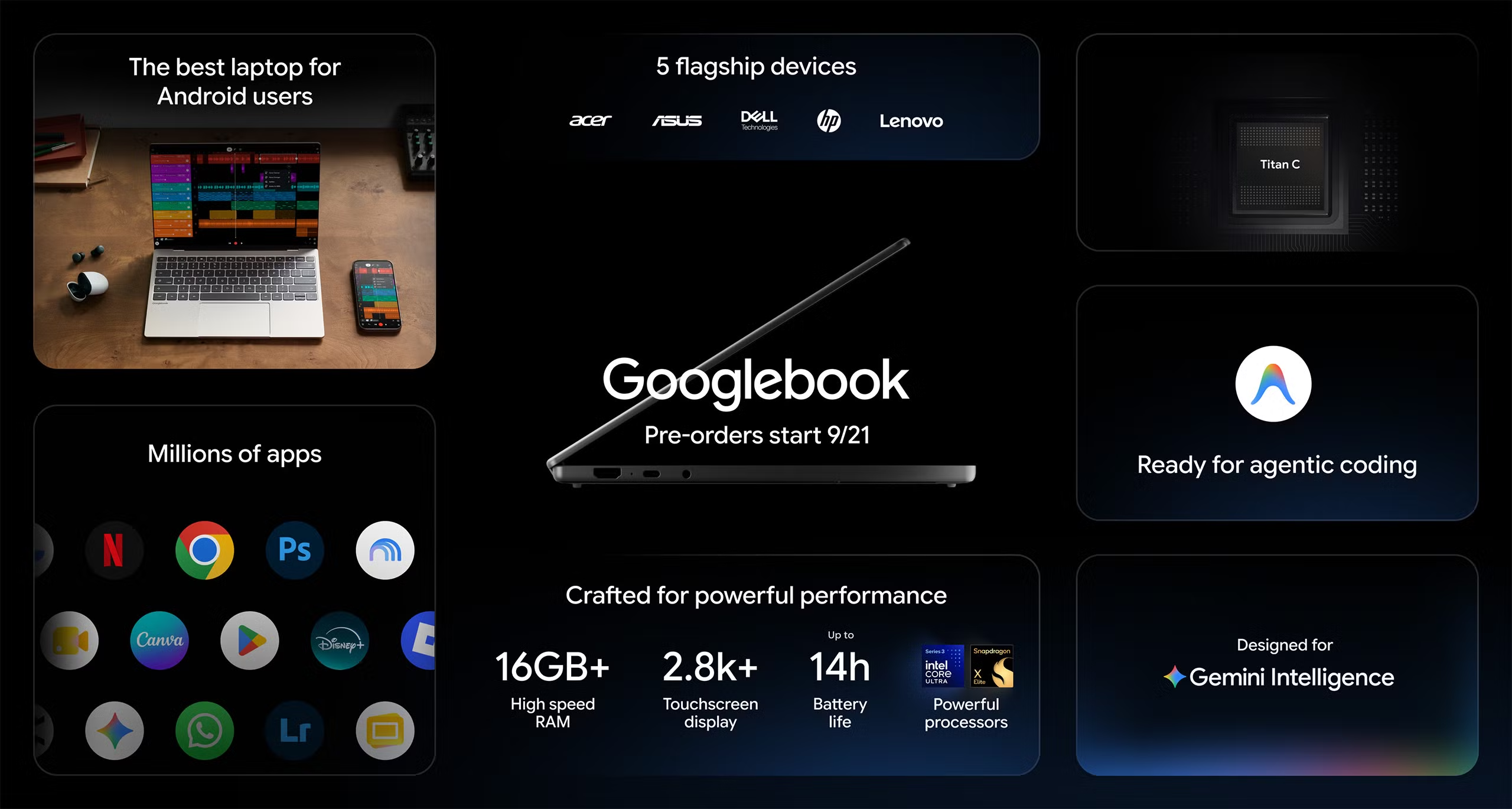
The personal computer market is welcoming a new category of devices, the Googlebook, which are entering the market to strengthen Google’s hardware and software strategy.
The architecture of the new products is designed to unify mobile and desktop functionalities into a single interface optimized for artificial intelligence, but it seems to overlap with the already widespread Chromebook, inevitably raising many questions among consumers.
Let’s try to clarify.
Googlebook: everything you need to know about the new laptops

The modern computing world requires devices capable of merging smartphone-like agility with the raw power of traditional computers.
The new Googlebooks emerge as the answer to this need, positioning themselves as high-end laptops designed from the ground up around Gemini Intelligence and equipped with the new GooglebookOS. The latter represents the fusion between the web-centric ChromeOS structure and the native Android stack, ensuring seamless execution of mobile applications in a desktop environment.
According to Google, the result is a line of devices that is powerful, secure and versatile, designed for professionals, creatives, and demanding users who require high performance and smart tools integrated directly into the daily workflow.
What is a Googlebook?
Googlebook is an unprecedented category of laptops developed by Google and its hardware partners, conceived from the ground up to host and maximize the capabilities of Gemini Intelligence.
These devices go beyond the traditional concept of a laptop, presenting themselves as true operational assistants capable of anticipating user needs through contextual and ambient artificial intelligence.
The operating system powering these computers is named GooglebookOS, a hybrid platform that unites Android’s native infrastructure, based on a customized Linux kernel, with the desktop and window management foundations of ChromeOS.

Aesthetically and functionally, Googlebooks stand out for premium materials such as aluminum, magnesium, and carbon fiber, paired with exclusive design elements. On the exterior chassis there is a glowing Glowbar: a functional bar that reproduces Google’s characteristic colors, acting as a quick-read indicator of the battery’s charging state and activating during specific interactions with the system.
The keyboard introduces a dedicated physical key, called the G Key, which allows you to instantly summon the Gemini assistant to perform quick searches or set commands without interrupting typing.
Artificial intelligence inside a Googlebook is not confined to a separate application or a browser window chatbot. Among the most advanced tools is Magic Pointer, a technology developed in collaboration with the Google DeepMind team.

By moving or gently shaking the cursor over an element on screen, the system activates a contextual interface that suggests relevant actions. Selecting two images, for example a sofa photo and a living room photo, the Magic Pointer can visually combine them; highlighting a date within a text, immediately suggests creating a calendar event.
This approach also extends to textual processing with the function Rambler, an intelligent dictation system able to transcribe human speech, eliminating vocal hesitations and applying the correct text formatting.
Workspace customization is entrusted to the Create your Widget function, which allows users to generate interactive dashboards simply by formulating a request to the assistant.

Asking Gemini to organize a trip enables the system to gather flight information, hotel bookings pulled from Gmail, and a countdown, all wrapped into a dynamic widget placed on the desktop.
What’s the difference between Googlebook and Chromebook?
Unlike Chromebooks, historically tied to a cloud-first and affordable experience, Googlebooks offer premium processors, ambient AI able to act proactively and a total symbiosis with Android smartphones.
The distinction between Googlebook and Chromebook is based on different software architectures, target markets, and data processing modalities that are profoundly divergent.
Chromebooks have built their global success on ChromeOS, a lightweight and cloud-centric operating system ideal for schools, agile workers and anyone needing an affordable, secure and easy-to-manage machine. On a Chromebook, most of the compute load is offloaded to remote servers, favoring the use of web applications (Progressive Web Apps).
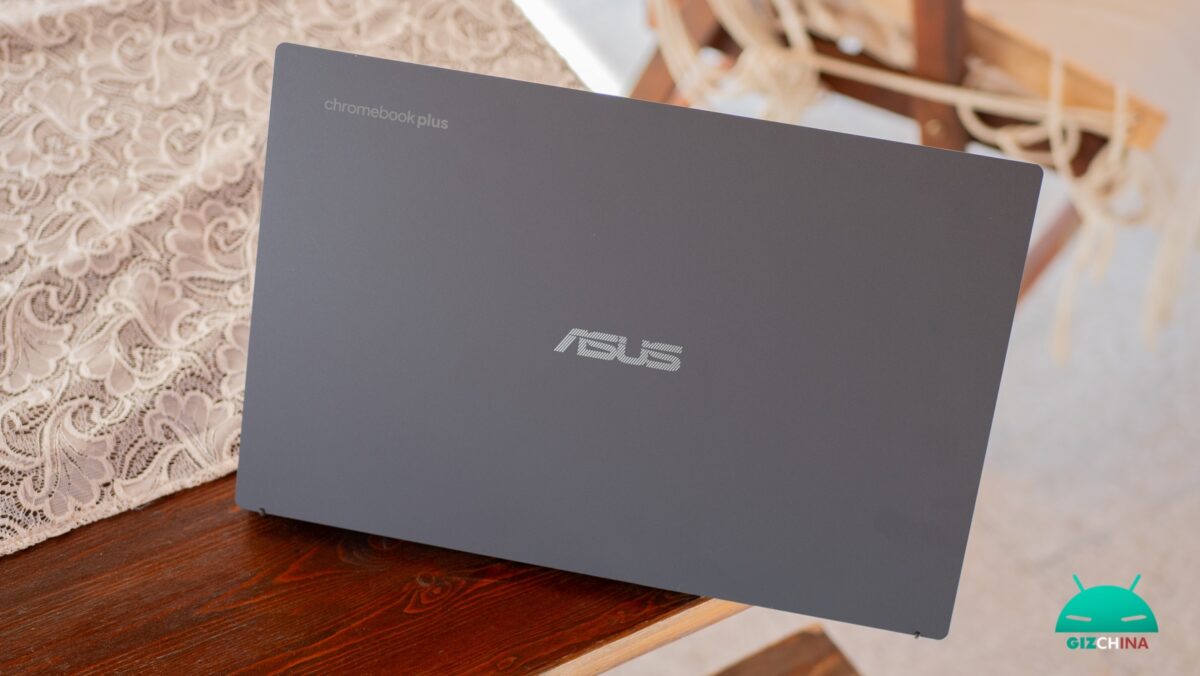
Googlebook, instead, currently positions itself exclusively in the premium market segment. While modern Chromebook Plus devices allow access to generative AI tools mainly via extensions or web interfaces, Googlebooks integrate neural networks directly at OS level, enabling the computer to read the user action context in real time.
GooglebookOS preserves the speed and cloud-era security, but adds the raw power of local execution for heavy software, ensuring total synergy with the mobile ecosystem.
The Google strategy foresees the peaceful coexistence of the two lines. The company has officially confirmed that the new category of devices does not mark the end of Chromebooks, which will continue to receive full support and updates via ChromeOS.
This division allows companies and institutions to adopt a multi-layer strategy: Chromebooks for cloud-based tasks and Googlebooks for professionals who require complex local processing and AI-assisted assistance.
What kind of hardware do Googlebooks use?
The construction of Googlebooks is bound by stringent requirements imposed by Google to ensure that AI capabilities do not suffer any slowdown.
Base configurations require at least 16 GB of RAM, with variants reaching up to 32 GB to meet extreme multitasking needs, accompanied by solid-state storage (SSD) starting from a minimum of 256 GB up to over 512 GB.
The engine of these devices is composed of cutting-edge processors developed by Intel and Qualcomm, with a recent inclusion by MediaTek.
The Intel-equipped models use the Core Ultra 5 and Core Ultra 7 (Panther Lake series), offering solid x86 compatibility and very high integrated graphics performance, ideal for casual gaming or rendering software.
The Intel Core Ultra 5 125H chips, for example, are built with a 7 nm process and boast 14 physical cores and 18 threads, with frequencies up to 4.50 GHz.
On the ARM side, Googlebooks employ the powerful Qualcomm Snapdragon X Elite, a 4 nm processor with 12 Oryon cores able to reach 4.30 GHz.

These characteristics translate into a battery life that, depending on configurations, can reach 19 hours of use, surpassing the operational parameters of a busy workday.
To accompany these two options, the market welcomes the MediaTek Dimensity CX C10 Max processors, built on a 3 nm process and equipped with a dedicated Neural Processing Unit (NPU 890) capable of delivering 55 TOPS (trillion operations per second), a value ideal for running AI models in the background.
All hardware variants interface with ultra-high quality displays, predominantly OLED touch panels with resolutions ranging from 2.5K to 3K, and advanced inputs such as glass touchpads with haptic feedback and high-precision keyboards.
Who makes Googlebooks and what are the main models?
The first wave of Googlebooks is the result of collaboration with five computing giants: Acer, ASUS, Dell, HP and Lenovo.
Pre-orders officially open on September 21, 2026 on the US Google Store, presenting configurations designed to meet multiple preferences.
| Model | Screen (all touch) | Processor | Weight | MSRP Price |
| Acer Googlebook 14 | 14″ 2.8K OLED | Intel Core Ultra 5 / 7 | 1.13 kg | US$899 |
| Dell XPS Googlebook | 13.4″ 2.5K LCD | Snapdragon X Elite | 1.0 kg | US$1,199 |
| HP Googlebook 14 | 14″ 2.8K OLED | Snapdragon X Elite | 1.24 kg | US$1,299 |
| ASUS Googlebook 14 | 14″ 2.8K OLED | Intel Core Ultra 5 / 7 | 1.0 kg | US$1,299 |
| Lenovo Googlebook 15 | 15.3″ 2.8K OLED | Intel Core Ultra 5 / 7 | 1.28 kg | US$1,099 |
The Acer Googlebook 14 represents the most affordable entry point to the new ecosystem, maintaining premium specs like the OLED display and 16 GB of unified memory at a starting price below US$900.
For those who prefer maximum portability, the Dell XPS Googlebook adopts the compact form factor of the well-known XPS 13 series, offering a 13.4-inch LCD panel and a mechanical touchpad, paired with the efficiency of the Snapdragon processor.
The ASUS Googlebook 14 pairs the power of Intel chips with a matte anti-reflective OLED finish and a rich set of connectivity ports (including HDMI) inside a chassis weighing just one kilogram.
HP Googlebook 14 stands out for its elegant midnight blue chassis and a keyboard with low-travel keys, optimizing performance on ARM architecture. Finally, the Lenovo Googlebook 15 positions itself as the tool of choice for professionals who need a larger workspace, offering a 15.3-inch display housed in a case finished with a UV soft-touch coating, enhanced by a Dolby Atmos-aided audio system.
Purchasing any Googlebook model also includes a digital incentives package valued at over US$300, including 12 months of subscription to the Google AI Pro service (which provides 5 TB of cloud storage), 12 months of cloud gaming via NVIDIA GeForce NOW, 1 year of Luminar and 3 months free for Adobe Photoshop, CapCut, BandLab and YouTube Premium.
How do Android apps work on a Googlebook?
The native presence of the Android stack and the Google Play Store ensures immediate access to millions of apps. Many of the most famous platforms for creativity and productivity have been optimized for desktop use, making the Googlebook a complete workstation.
Users have access to professional software such as Adobe Photoshop and Adobe Lightroom, as well as editing and design suites widely used including Canva, CapCut and BandLab. Utility applications such as Notion, Acrobat and Dropbox work without hesitation leveraging the large high-resolution displays.

The system also introduces deep integration with Android smartphones via proprietary technologies aimed at reducing downtime. The Cast My Apps feature allows you to launch on the laptop an application installed exclusively on your smartphone, projecting its interface onto the computer screen to manage it comfortably with a keyboard and mouse, eliminating the need to unlock the mobile device.
Likewise, the technology Continue On detects the activity running on the smartphone (such as drafting an email or reading a document) and allows you to resume it instantly on the Googlebook from the exact point where you left off.
If an application does not have a native version for GooglebookOS, the system uses these casting technologies to ensure operational continuity anyway.
Can you play your favorite games on a Googlebook?
The hardware and software architecture of Googlebooks opens doors to extremely layered gaming entertainment. Taking advantage of native Android compatibility, devices run without any problem the games designed for the mobile market, allowing you to install titles like Clash Royale or Candy Crush from the Play Store and manage them with absolute fluidity thanks to generous RAM and integrated graphics processors.
For enthusiasts of high-end PC gaming, Googlebooks rely on the potential of cloud gaming. Thanks to official certification and the inclusion of a free one-year subscription to NVIDIA GeForce NOW, the laptops transform into high-performance terminals capable of streaming demanding games such as Cyberpunk 2077, Counter-Strike 2 and Arc Raiders.
In this way, the heavy processing happens on NVIDIA servers, while the Googlebook ensures minimal latency, leveraging the wonderful OLED panels to deliver graphics of outstanding color quality.
Can you use Microsoft 365 / Office on a Googlebook?
The use of the famous Microsoft productivity suite encounters no obstacle on GooglebookOS. The operating system officially supports the Microsoft 365 application, downloadable and configurable in moments.
Through this application, professionals and students can open, fill in, download and native-save Microsoft Word documents, complex Excel spreadsheets, PowerPoint presentations, and manage communications via Outlook.
The level of integration guarantees that files created on Googlebooks maintain perfect formatting compatibility with Windows PCs or Macs, eliminating file conversion issues.
There is also always the option to use the Google Drive suite.
How do you transfer data from your old laptop to a Googlebook?
The transition from an obsolete computer or from a different operating system to a Googlebook has been simplified to minimize setup times. If you’re coming from a computer where the Chrome browser is installed, simply sign in to your Google account. The laptop will automatically synchronize bookmarks, installed extensions, history, saved passwords and personal preferences.
The transfer of physical files, such as images, videos and work folders, benefits from the tight integration with the cloud ecosystem. The initial boot phase of the Googlebook involves scanning a QR code via your Android smartphone, an operation that instantaneously syncs access to content stored in Google Drive or Google Photos.
Considering that all new Googlebooks include a one-year subscription to Google AI Pro including a whopping 5 TB of cloud storage, users have enough capacity to transfer the entire content of the old hard drive without needing external USB drives.
To operate with documents physically stored on the smartphone memory, the Google ecosystem introduces the tool Quick Access. This feature establishes a secure connection between smartphone and laptop, allowing you to browse, view and modify the files on the mobile device directly from the computer’s resource management, avoiding wired transfers and long synchronization waits.
Are Googlebooks safe?
Protecting the integrity of personal and corporate data represents the fundamental pillar of Googlebook design. The hardware architecture uses Titan C, a security chip engineered directly by Google.
This chip is physically isolated from the rest of the computer components and handles exclusively data encryption operations, preventing external attack attempts, such as brute-forcing PIN codes, and shielding the system from ransomware.

Daily security is ensured by adopting biometric authentication. Depending on the chosen model, users can access the computer by resting a fingertip on a fingerprint reader or by looking at the camera for facial recognition.
Biometric parameters are captured inside a secure processor (Secure Biometrics Processor), isolated within the sensor or in a trusted memory portion. The infrastructure processes only encrypted mathematical models with unique device keys (HMAC) that are never shared with apps or transmitted to online servers. Consequently, it is technically impossible to export the fingerprint or use it on another device.
To guarantee software reliability, devices perform the Verified Boot procedure. At every startup, the Titan C chip checks the digital signatures of the entire operating system. If a single line of code is found tampered with by a virus or unauthorized access, the computer blocks execution and automatically restores in the background a clean copy of the system, ensuring proactive and transparent defense that does not require manual intervention.
Moreover, every single web page or application run is processed in a sandbox, preventing any malware from communicating with other running processes or accessing the personal document archive.
Development, Linux environments and enterprise management
The flexibility of Googlebooks extends far beyond the consumer audience, offering powerful tools for developers and IT administrators.
Developers can leverage Crostini, a native Linux container (based on Debian) easily activated from system settings, which provides a full terminal environment. This virtualized environment allows running professional development software such as Android Studio, compiling code repositories, using complex IDEs and running Linux development tools, all isolated in total security from the rest of the operating system. Folders and files can be shared granularly between ChromeOS and the Linux environment, ensuring an uninterrupted workflow.
In a corporate context, Googlebooks integrate perfectly with Chrome Enterprise Upgrade (CEU), a license that unlocks granular control of the entire fleet of devices via the Google Admin Console. Unlike basic MDM (Mobile Device Management) or traditional Android work profiles, CEU enables Zero-touch enrollment (automatic device enrollment at first connection), remote disabling and erasing in case of theft (preventing the device from being used even after forced formatting), and the ability to set domain-based access restrictions.
This architecture makes the device highly recommended for companies needing strict data privacy compliance (HIPAA, GDPR) while maintaining Android’s app flexibility.