

Samsung continues to work to make the transition from one smartphone to another less complicated, especially when changing ecosystems. With the updates introduced in One UI 9, the latest version of the brand’s proprietary interface, Smart Switch becomes even easier to use also for those coming from iPhone.
From iPhone to Galaxy without installing an app: Here are the latest Smart Switch updates

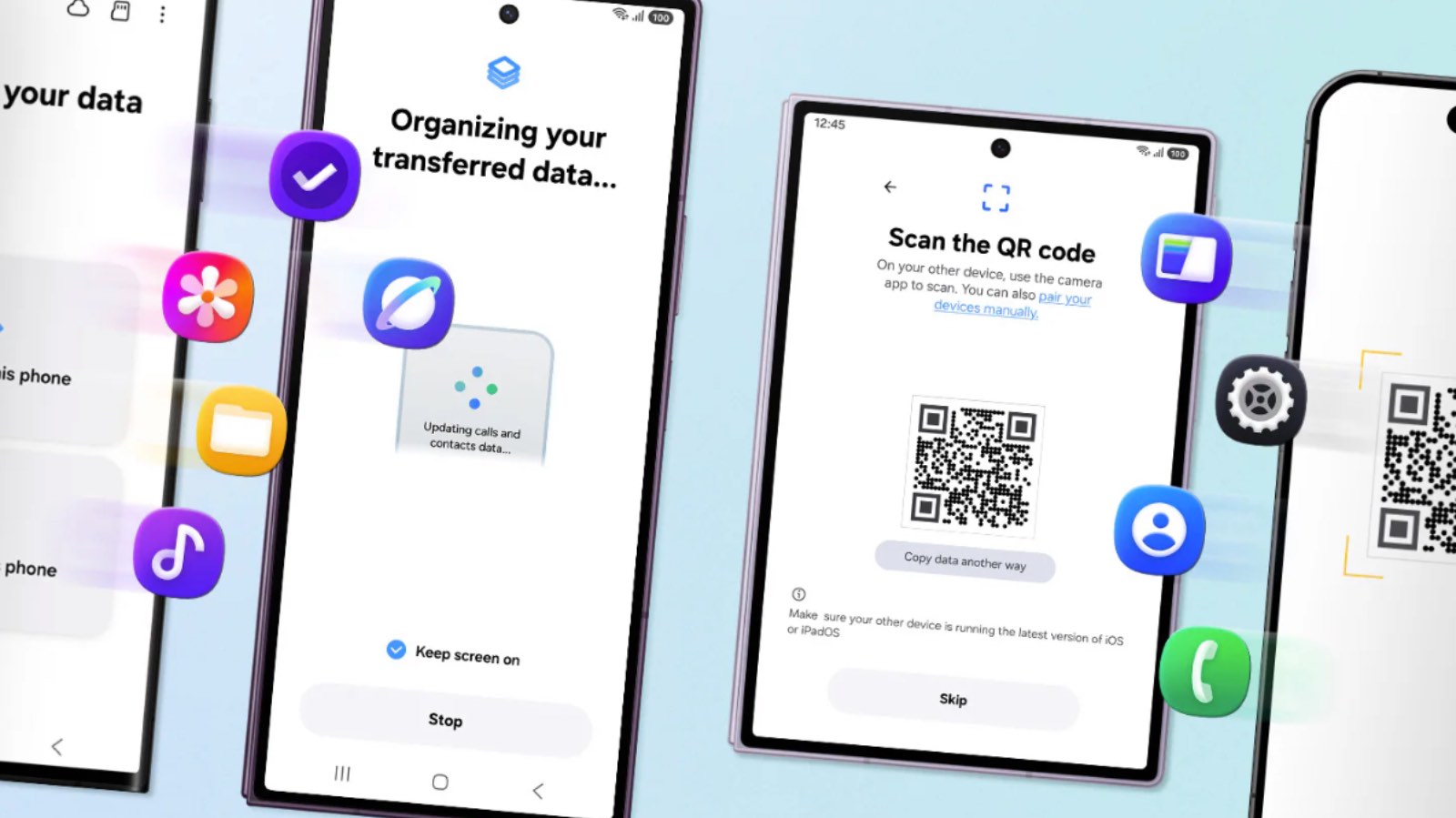
One of the main novelties concerns the transfer from iOS. With One UI 9 it’s no longer necessary to install an app on the iPhone to start migrating data. The procedure can begin directly from the new Galaxy smartphone simply by scanning a QR Code.
The system also favors the Wi‑Fi connection, without necessarily requiring the use of a cable. The goal is to make the switch from iPhone to Galaxy faster, but of course Smart Switch continues to support migration from other Android devices.
A solution designed for Samsung’s new foldables
The new Smart Switch experience also accompanies the debut of Galaxy Z Fold 8, Z Fold 8 Ultra and Z Flip 8. Those who switch to one of Samsung’s new foldables can use the system to quickly locate content, apps and settings already present on the old smartphone on the new device.
The change in form factor does not require starting completely from scratch when configuring the device.
Over 20 categories of data transferable
Smart Switch today supports the transfer of more than 20 categories of content. These include contacts, photos, videos, music, files and folders, messages, notes, calendar, apps, health data and Home screen settings.
It is also possible to transfer Wi‑Fi networks, passwords and passkeys, reducing the number of items that must be configured manually after switching the smartphone.
Samsung also places particular emphasis on transferring photos, contacts and WhatsApp conversations, as well as messages, notes and device settings. WhatsApp backup can be restored using the built‑in feature directly in the application.
Samsung adds dedicated support
The transfer of data is not the only area where Samsung is making improvements. The company also provides a dedicated phone line and a WhatsApp channel through which users can receive assistance during the initial usage phases.
The support covers initial setup, the transfer of content, customization of settings, and discovering the Galaxy ecosystem’s main features.
The goal is to help even less experienced users during the smartphone switch, especially when moving for the first time from a different ecosystem.
Quick Share completes the experience
After the setup is complete, Samsung focuses on continuity between devices through tools like Quick Share. The feature enables rapid sharing of files, images and documents between Galaxy devices and other compatible products.
Smart Switch remains the starting point for the initial transfer, while other ecosystem tools continue to manage sharing and interaction between devices during daily use.
With the updates introduced in One UI 9, Samsung aims to reduce barriers that might discourage those who want to switch smartphones or move from iPhone to Galaxy, simplifying both data transfer and the initial setup.