


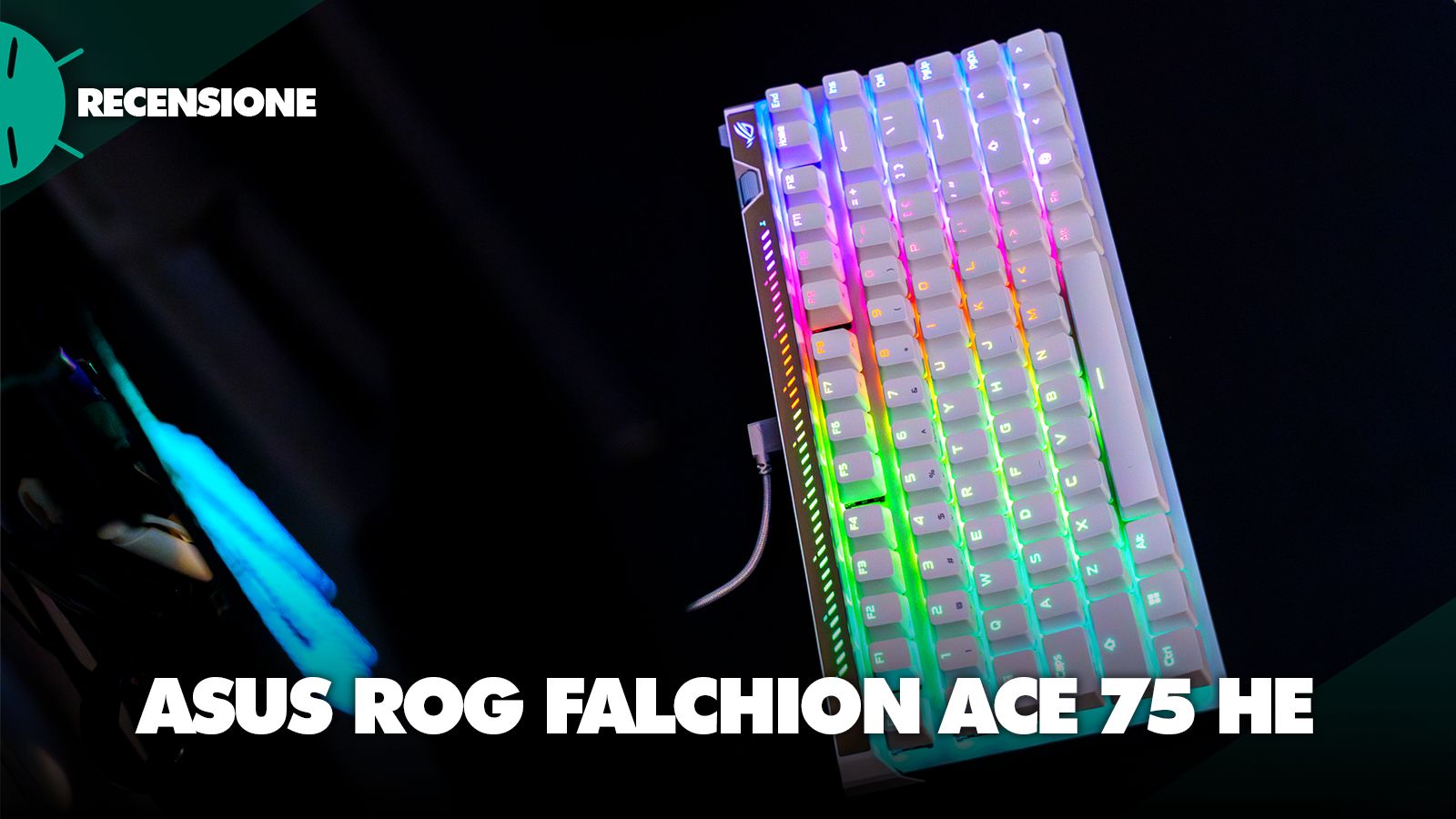
ASUS ROG Falchion Ace 75 HE is a keyboard aimed at users who are looking for high-end performance in a compact form factor, featuring hardware specs designed almost solely to minimize latency.
The most important selling point of ASUS is indeed the integration of new magnetic switches based on Hall Effect, which replace the metallic physical contacts of traditional mechanical switches with internal sensors capable of constantly measuring the distance of the magnet located in the stem of the key.
This continuous measurement allows defining custom actuation and release parameters, eliminating the mechanical wear of standard contacts and offering very precise control over input.
This is a phenomenal product with premium-level performance, but it carries with it some compromises derived from its extremely focused nature that the potential buyer should know.
Review ASUS ROG Falchion Ace 75 HE: maximum performance, minimal footprint

Design, costruzione e materiali
From a dimensional standpoint, the ROG Falchion Ace 75 HE measures 320 x 145 x 35 mm and has a weight of 870 g without the cable plugged in. It is a heavy keyboard, which I particularly appreciated as it prevents it from moving from the precise position where it is placed.
The adoption of the 75% layout offers a compromise between space optimization on the desk and the preservation of essential keys; in particular, it includes the full row of function keys (F1-F12), the dedicated directional arrows, and a single column for the basic navigation keys.
Compared to tighter formats like 60% or 65%, this layout is excellent for those who need a versatile keyboard, suitable for both gaming sessions and general productivity and writing.
Personally I am not a fan of compact keyboards that place keys next to Enter, Backspace and Right Shift, as muscle memory leads me to make several typing mistakes. However, it is a matter of habit in use and not a real defect of the keyboard.

The numeric keypad is also missing which I always appreciate but, again, it’s a personal preference and the purpose of this product is not to end up on editors’ or accountants’ desks. It’s a gaming keyboard and, for that purpose, the layout is excellent.
The chassis combines two distinct materials. The top plate is made from a block of aluminum, designed to provide structural rigidity to the mounting plate. The diamond cut finish on the edges gives the ROG Falchion ACE 75 HE a premium look, and the overall build conveys a high-quality feel.
The lower shell is produced in a pleasant and solid plastic material that features a diagonally grooved texture and the brand logo engraved. Although the inclusion of plastic in the lower part is common practice, it is noticeable compared to competing models entirely machined from aluminum offered at similar price points.
Despite its market positioning, the packaging does not include a dedicated wrist rest.


At the base of the keyboard, there are two-stage height-adjustable feet, which allow the user to select three different tilt angles according to their ergonomic preferences.
The keys use PBT doubleshot keycaps, materials known for their wear resistance and for their ability to prevent the shiny effect derived from residues in the long term. These keycaps feature a medium-height profile and a shortened central stem, a choice aimed at minimizing the wobble of the keys themselves and ensuring a linear actuation.
The RGB lighting is integrated for every single key and is compatible with the ASUS Aura Sync system for dynamic color management, including a mode “Analog Effect” capable of altering a key’s brightness proportional to the force applied.


A curious accessory included in the package is the hard protective case. It is a useful addition for the safe transport of the keyboard, as it prevents scratches and accidental impacts on the keys when placed in a backpack, but I don’t see much use for it.
If it had been a wireless keyboard it would have made a lot of sense, but having to use a cable for the connection anyway, I don’t think it’s very likely that a user would move it around the house or, given its substantial weight, while traveling. I can think of only one reason why ASUS decided to include it: it’s useful to those who participate in tournaments and LAN parties.
In the box there is also a handy tool for replacing keycaps. Yes, because this keyboard comes by default with a dedicated button for Microsoft Copilot that can, however, be transformed into Right Ctrl using the included replacement keycap.


Finally, one last small clarification: we tried the keyboard version with the US layout. For me, it has never been a problem; for years I have been used to typing with layouts different from the Italian one, but it’s important to keep in mind that the Italian layout might not exist if you’re considering this keyboard. Some retailers actually indicate the IT layout on the product page, but all the images are of the US version.
Isolamento acustico e struttura interna
To minimize resonances arising from the metal plate and from the aggressive keystrokes, the keyboard houses inside it a complex isolation system composed of 6 distinct sound-absorbing layers:
- A silicone foam placed immediately beneath the top plate to stop high-frequency metallic noises

The result of these interventions is an almost complete elimination of the feeling of “empty box” detectable in cheaper products. The acoustic profile produced by the keys during typing is focused, deep, and free of residual echoes, a remarkable result for a purely gaming product.
Further smoothness and quietness come from the pre-lubricated stabilizers of the Spacebar and the Enter key, which fuse components of the classic Cherry and Costar designs to reduce friction.
Connettività e prestazioni
The ASUS ROG Falchion Ace 75 HE, as mentioned above, is exclusively wired via a USB Type-C port. In the box you will already find a USB Type-C to USB Type-A cable braided with an angled (L-shaped) design designed to reduce desk clutter and keep the cable away from the mouse’s scrolling area.
Attention: if, like me, you have the PC on the left side of your desk (I know, I’m a monster, but on the right side there’s a radiator and I don’t think it’s appropriate to place the PC there), you’ll have to choose whether to use a USB cable with a straight connector, connect the L-shaped connector toward the right, resulting in a cable that runs in the opposite direction to the one you want, or insert the cable the other way around.
This last option makes it harder to interact with the touch surface (which we will discuss later) that is positioned on the top side of the keyboard.

The choice not to include a battery and wireless connectivity is justified by the need to maintain the minimum possible data transmission latency.
The high-speed USB microcontroller is in fact capable of reaching a polling rate of 8,000 Hz. This sampling frequency allows the computer to query the keyboard status 8,000 times per second, lowering the theoretical input delay to 0.125 ms.
The device also supports full N-key rollover, instant macro recording (on-the-fly) and the reprogramming of all keys.
Come vanno gli switch Hall Effect?
ASUS has opted to use its newest ROG HFX V2, linear switches factory-pre-lubricated that operate in conjunction with the Hall Effect sensor, capable of offering extremely high precision, recording the movement of the stem with deviations of as little as 0.01 mm.
The actuation range of the ROG HFX V2 is entirely user-configurable between 0.1 mm and 3.5 mm in depth. The total travel distance is fixed at 3.5 mm, shortened compared to the previous standard of 4 mm.
The actuation requires an initial force of only 32 gf, reaching a total end-of-travel force of 49 gf. This calibration makes the keys particularly light, responsive and quick to press. There is also a variant in the lineup named ROG HFX V2X, equipped with an even softer spring that brings the initial force to 30 gf and the total force to 45 gf.
Structurally, the top part of the switches is made of polycarbonate, polished at the friction points with the stem to maximize smoothness, while the bottom part is made of POM (polyoxymethylene), the material chosen to dampen and darken the noise.
The stem itself, also made from a low-friction POM blend, uses a square-wall design to keep the keycap in alignment and prevent dust and debris intrusion.
In this iteration, the magnet has been positioned laterally rather than at the center. Such a shift solves the typical problem of analog switches: it allows the stem to physically reach the plastic end stop, producing, according to ASUS, a tactile response and a sound comparable to that of a pure mechanical switch.

The linear feel, even though the actuation level is configurable, is not among my favorites. Having to deal with writing all day, for me nothing beats the feeling of the “clack” you hear under your fingers when the mechanical key is actually actuated.
I want to emphasize it once again because I think it’s right: this is only a personal preference of mine, the linear switches during the test seemed to me to be always stable, precise, and consistent in their response. In matters of taste, there can be no dispute…
Being part of the ROG HE ecosystem, the keyboard switches are hot-swappable, meaning they can be individually replaced by the user without soldering. ASUS confirms the electrical and mechanical compatibility with third-party Hall-based switches (such as those from TTC) and with switches sourced from other models of the brand, like the ROG Falcata.
Funzionalità gaming avanzate
The ROG keyboard brings out its full potential through two advanced features: Rapid Trigger and Speed Tap.
The function Rapid Trigger eliminates the mechanical limitations by removing a static reset point. Unlike contact switches that must travel beyond a specific tolerance in millimeters before they can register a new input, the ROG HFX V2 reset the input electronically as soon as the sensor detects an upward movement of the stem.
This feature completely eliminates any dead time should you wish to trigger the same key multiple times in fractions of a second.
To quickly turn the feature on or off, ASUS has placed a dedicated toggle switch in the upper-right corner. By default, activation triggers the Rapid Trigger only on the WASD movement cluster.

The function Speed Tap responds instead to the logics SOCD (Simultaneous Opposing Cardinal Directions) applied in first-person shooter titles.
Without the aid of this function, pressing the ‘A’ and ‘D’ keys physically at the same moment, the signal is canceled, causing the character on screen to become immobile. Activating the Speed Tap, the microcontroller firmware gives immediate priority to the last directional key pressed, automatically forcing the virtual release of the opposite key.
To activate the function, the user must hold down the Fn + Caps Lock keys for one second. Confirmation is provided by the LED illumination of the ‘A’ and ‘D’ keys, which flash white if the system is active or red if deactivated.
In practical use, especially in rapid directional changes, the handling of the last prioritized input eliminates any hesitation in movement.
Controlli fisici integrati
On the upper left side is positioned a multifunction button next to a rectangular touch panel. Repeated pressing of the button cycles through four operating profiles, including volume adjustment, multimedia playback control, the backlight brightness, and a freely assignable default profile for page scrolling.
Swiping a finger across the adjacent touch panel toward the opposite ends, or by performing a double tap, the selected parameters are activated.
At the far right end there is instead a metal wheel entirely dedicated to altering the parameters of the Hall sensors. By clicking the wheel, the user toggles the command between the base actuation point and the Rapid Trigger’s sensitivity, adjusting its granularity through rotation.


Between the two control sets, a visually striking a long LED bar stands out. The latter provides a valuable reference for the sensitivity wheel: for every movement of the wheel, the illuminated segments turn on or off, each indicating a variation of exactly 0.1 mm on the magnetic actuation values, enabling real-time calibrations without opening the application.
It’s a real shame that the wheel cannot be assigned to other functions like the volume control. I find the use of the touch interface positioned on the opposite side from the user difficult, and once the actuation values of the keys are calibrated, I don’t think the user needs to continuously modify such values, leaving a precise and pleasant-to-use control without a practical purpose.


Software
The user interface uses the new solution ROG Gear Link, in a decisive departure from the mandatory installation of the Armoury Crate software suite.
ROG Gear Link operates entirely through a web interface compatible with most modern browsers; it only requires installing drivers for communication with the keyboard. This application does not tie up the computer’s resources in the background and it is fast at querying the components.
Sure, it’s perhaps a bit absurd that someone who has Armoury Crate installed for other reasons (I have an ASUS PRIME X570-PRO motherboard and from there I control the RGB lighting) is nevertheless redirected to the web interface despite the software recognizing and being able to update the Falchion ACE 75 HE.
Ho già abbastanza schede aperte nel browser. Grazie.
I also have an ASUS ROG Swift OLED PG27UCDM monitor and this is managed by an entirely different software, but this is a topic I don’t want to delve into now and that is outside the scope of this review.


Back to the matter at hand, Gear Link allows meticulous operation on each switch. The Dynamic Keystroke (DKS) setting lets the user assign up to four separate functions or commands to the press of a single key. Those commands activate at different fractions of a millimeter, both during the downstroke (press) and during the upstroke (release).
The software also offers the precise programming of dead zones (“dead zones”) in the topmost section and in the deepest part of the actuation travel, configurable up to 0.3 mm to hinder the sending of involuntary signals in case the fingers rest passively on the keys while waiting for the right moment to act.
The settings can be saved directly in the device’s built-in memory to be recalled on another terminal, although Gear Link itself requires an internet connection to interface from the browser.
Prezzi e conclusioni
ASUS ROG Falchion Ace 75 HE has a price that is not suitable for everyone: 239.90 euros. However, it’s not an exorbitant amount when talking about high-end keyboards, and those who have the passion and the willingness to move into the custom world can end up spending much more.
It is a significant cost but substantially in line with the offered specifications, particularly in light of the use of next-generation magnetic sensors, the extremely high polling rate, and the numerous software features that ensure the hardware is pushed to its limits.
The lack of support for any form of wireless connectivity deprives the user of the flexibility to use it across multiple setups, and it’s a real shame. Additionally, the use of a plastic lower shell and the total absence of a wrist rest inside the packaging, gaps that other direct manufacturers are able to fill often even at lower prices.
The ASUS ROG Falchion Ace 75 HE still qualifies as an excellent-quality peripheral for those who demand the utmost in gaming performance.
If you have never tried a Hall Effect keyboard before, the impact will be strange, I assure you. Feeling the key that doesn’t “click” under your fingers was a strange, almost surreal experience for me, who spends days pounding letters on letters. That said, once you get used to it you will fall in love with this little bundle of technology.

