


It’s no secret that Google is working tirelessly to shape the future of software dedicated to extended reality (XR).
In the latest Canary builds of Android Studio a significant novelty has emerged: a new “companion app” that offers an unprecedented and concrete look at how the upcoming glasses Android XR will work.
A first look at Google’s new application
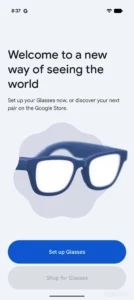

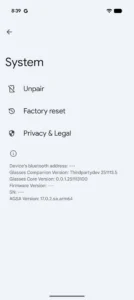
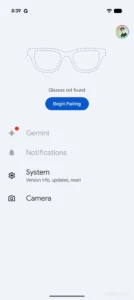
The discovery, initially reported by the developer community on Reddit, concerns an application simply called Glasses.
The software package, identified by the codename com.google.android.glasses.companion, appears in the app menu of Android test builds and is unequivocally intended for managing smart glasses.
The current app interface, while still essential in the absence of hardware to pair, reveals valuable details. On opening, the user is greeted by a generic image of smart glasses and the invitation to configure the device or discover a new one on the Google Store (with a purchase button currently disabled).
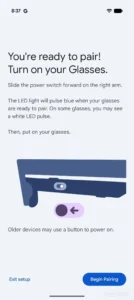
An interesting hardware detail emerges from the very first screens: the software explicitly references a physical switch or a button required to turn the glasses on, suggesting a design that favors physical controls.
Camera, Import and Privacy
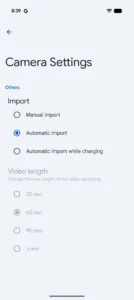
Exploring the code and internal settings of the app reveals relevant technical specifications for the multimedia component. The camera settings indicate that users will have flexibility in managing content: photos and videos can be imported to the smartphone manually, automatically, or limited to times when the device is charging.
Regarding videos, Google seems to align with current market standards (similar to those of Ray-Ban Meta), allowing clips ranging from 30 seconds to 3 minutes. The code suggests a standard resolution of 1080p, but also hints at an intriguing “experimental” mode in 3K, which could deliver higher image quality on high-end hardware.
On the privacy front, Google does not seem willing to take risks. A system audio clip has been identified that warns the user with the message: “Cannot capture when the front LED is covered“. This confirms the presence of a recording indicator light that, if obscured, disables via software the ability to take photos or record video, a fundamental safety measure for the device’s social acceptance.
“To protect your privacy, all processing of conversation detection occurs on your glasses. No raw audio, image, or conversation data is shared with Google or other services“, states an internal notice.
Additionally, it seems possible to pause spoken notifications for specific time periods, offering granular control over digital interruptions.
Audio-only mode and the future of the ecosystem
Among the display settings, besides the classic brightness slider, there is a curious mode “audio-only“.
The associated description, “Turns off the glasses’ display“, implies that the device could transform into a purely audio accessory when needed, saving battery and reducing visual distractions, while keeping the smart audio features active.
Although the launch of the first Android XR glasses, the result of the collaboration with XReal, is expected not before the end of this year, the advanced state of this companion app is a strong signal.
It indicates that Google’s software development is in a mature phase and suggests that future hardware will depend on Mountain View’s software ecosystem even more than seen with the current Galaxy XR.

