


For several months, Mountain View’s developers have been working to refine the user experience of their artificial intelligence on mobile devices, and now the first details are emerging about a fairly deep aesthetic and functional update.
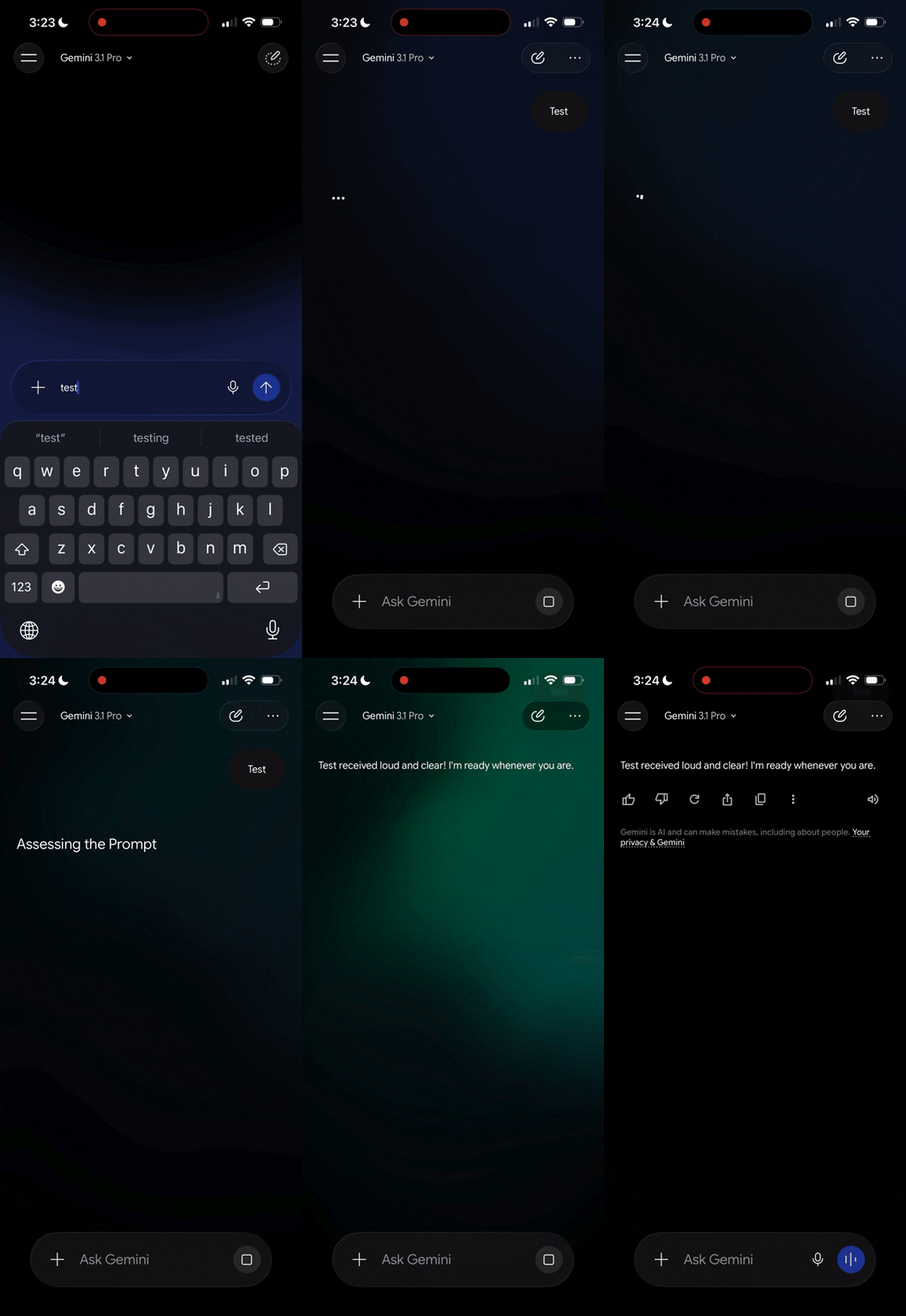
The redesign of Gemini, currently in a limited rollout, initially reported by some users on iOS in the last hours, shows a completely reworked design that aims to make interactions smoother and more visually appealing, markedly diverging from previous versions.
Gemini’s new interface debuts on iOS


One of the most striking aspects of the new application is the introduction of an animated and colorful background, featuring a gradient effect that activates and comes to life mainly during prompt typing, providing visually impactful feedback.
The homepage welcomes the user with a welcome message centered on the screen, which reads an informal greeting followed by the person’s name and the question about what comes to mind, all topped by the service’s unmistakable spark icon.
A completing touch to the graphical overhaul is an updated set of icons, which now favor extremely thin and rounded outlines, giving the entire environment a modern and tidy look.
On Apple mobile devices, this design heavily leverages the Liquid Glass design, now pushed to a clearly higher level of implementation.
Navigation and reorganization of elements
Google has made very precise choices regarding the layout of the menus. The selector to decide which language model to use has been moved to the top-left corner, in the form of a classic dropdown menu. On the opposite side of the screen sits only the button dedicated to launching temporary chats.
A rather unusual variation compared to the company’s traditional guidelines for its apps concerns the user account selector, which has been moved to the bottom of the side navigation drawer, moving away from the classic top-right position.
Regarding the conversations interface, the option to display the logical steps followed by the AI has been moved to the additional pop-up menu, and the related reasoning process is now shown through a handy panel that slides up from bottom to top.
New unified controls and tools
The lower area dedicated to entering requests has abandoned the old shapes to adopt a pill-shaped design. On the right side of this space sit the controls for voice input and for accessing continuous conversation mode. The real novelty, however, is represented by a button identified by the plus sign.
Pressing it summons a bottom panel equipped with a swipe carousel, designed to open the photo gallery, launch the camera, and immediately view recent images.
The same panel also provides quick access to your files and to a section for additional uploads. Just below, the software presents a series of tools with specific descriptions, including image, video and music generation, as well as Canvas, deep search and guided learning sections.
This is a unified approach that the company had already been experimenting with on web interfaces and that is already regularly active on Macs. It remains to be seen how these substantial innovations will be translated and adapted for the Android ecosystem as the testing phase continues.

