When you search on Google “best mouse for working on a PC” or “professional mouse 2026”, the Logitech MX Master series name appears practically all the time. After all, I have been using the “old” MX Master 3 and the arrival of the new version couldn’t help but light up.
Also, let’s not beat around the bush: the Logitech MX Master series has been an absolute benchmark for years. And with the new MX Master 4, the company didn’t seek to revolutionize the product, but to refine it in every aspect, addressing details that, in daily use, really make a difference.
In this Logitech MX Master 4 review we analyze in detail design, ergonomics, performance, software and battery life, with a real focus on the user experience after weeks of intense work between video editing, multitasking and productivity on multiple devices. And I’ll tell you right away: the pros are many, but there are also a few cons.
Logitech MX Master 4 review: the best mouse 2026?
Design, ergonomics and features: intelligent continuity and real comfort
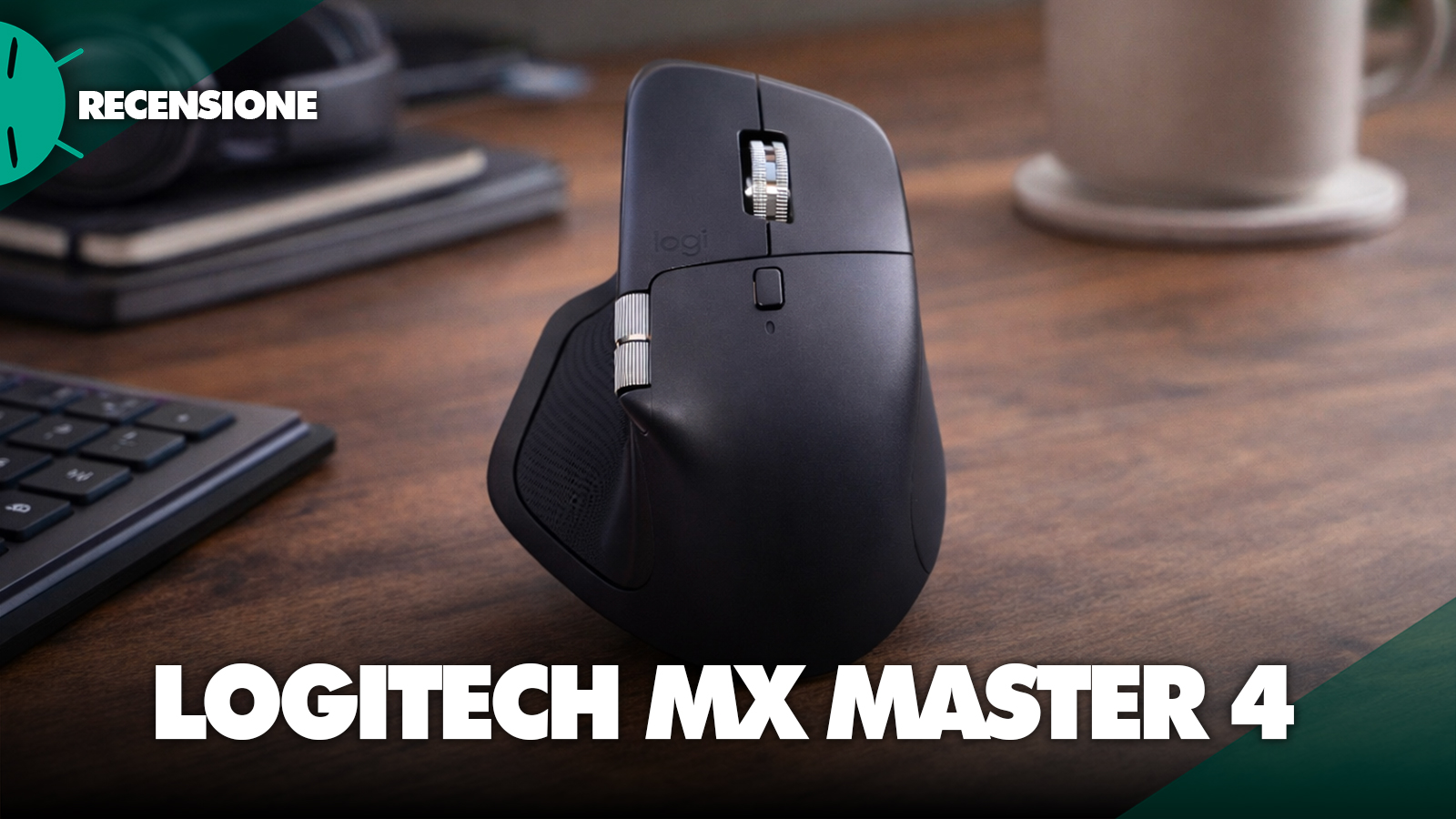
The design of the Logitech MX Master 4 takes up the iconic look of the series, but with a series of refinements that emerge especially during extended use. The shape remains ergonomic and designed exclusively for the right hand, with a thumb rest that continues to be one of the best ever made on a work mouse. The difference compared to the previous generation is not as visual as tactile: Logitech has improved the surface finish, making it softer and slightly more rubberized, with a tactile feel that is more premium and less prone to slipping.


This flexibility allows you to optimize workflow significantly, reducing the number of manual steps and increasing the speed of task execution. The gestures, activatable via the button under the thumb, are among the most powerful and underrated features, allowing multiple commands to be mapped to a single input. However, on the software side one of the main criticisms of this product emerges: to date, Logi Options+ is not compatible with Final Cut 12 of Creator Studio.
nnnn
This means that Mac users who previously used programmable keys for Final Cut to edit video will find this functionality completely missing. It is a significant limitation, especially considering that in the Adobe suite, including Premiere Pro and Photoshop, everything works correctly, including the haptic feedback. This discrepancy makes the issue even more evident and is one of the aspects Logitech will need to address as soon as possible, because Mac users who rely on Final Cut are quite numerous.
nnnnSoftware Logi Options+: advanced customization and drawbacks
nnnnThe true heart of the Logitech MX Master 4 experience is represented by the Logi Options+ software, which enables extremely advanced customization of the mouse buttons and functions. Each button can be configured differently depending on the application in use, allowing you to create dedicated profiles for software such as browsers, productivity tools, photo editing and video editing.
nnn


This flexibility enables you to optimize the workflow significantly, reducing the number of manual operations and increasing the speed of task execution. Gestures, activatable via the button under the thumb, represent one of the most powerful and underrated features, allowing multiple commands to be assigned to a single input. However, on the software side one of the main criticisms of this product arises: to date, Logi Options+ is not compatible with Final Cut 12 of Creator Studio.
nnnnThis means that Mac users who used programmable keys for Final Cut are now completely losing this functionality. It is a significant limitation, especially considering that in the Adobe suite, including Premiere Pro and Photoshop, everything works correctly, including the haptic feedback. This discrepancy makes the issue even more evident and is one of the aspects Logitech will necessarily need to resolve as soon as possible, because Mac users who rely on Final Cut are quite numerous.
nnnnConnectivity, multi-device and Logitech Flow
nnnnAlso very solid is the handling of connectivity and multi-device. The mouse can be connected to up to three devices simultaneously via Bluetooth or USB receiver (included in the box) and allows you to switch from one to another with a simple button. This feature is particularly useful for those who work with multiple computers, for example a desktop and a laptop or systems with different operating systems.
nnnn
On top of that, Flow is a technology that lets you use the same mouse across multiple devices as if they were a single workspace, enabling even file transfers via copy and paste. In my daily use between Mac and Windows, this feature proved extremely convenient, though not 100% perfect, with a few occasional slowdowns. Overall, however, it adds genuine value for multi-device work environments.
nnnnBattery life and charging: reliability over the long term
nnnnBattery life is always solid and reliable. The MX Master 4 guarantees several weeks of use on a single charge, even with intensive use. Charging is via USB-C (and you can charge while using the mouse) and a few minutes plugged in can yield several hours of use, a detail particularly useful in emergency situations.
nnnn
In my case, with daily work use, I easily surpassed two weeks without needing to recharge the device. Certainly, it is a result in line with expectations for a mouse in this tier, but it remains a strength worth noting.
nnnnReal-world experience: productivity without compromises
nnnnAfter weeks of use, the feeling the Logitech MX Master 4 gives is that of a tool designed to genuinely improve productivity. It isn’t a product that relies on surprise effect or initial impact (especially for those who have used a previous generation of the series for years), but on a series of incremental improvements that, over time, make the difference.
nnnn
The button layout, sensor precision, wheel quality and customization options all contribute to a highly fluid and intuitive user experience. It’s one of those products that, once integrated into your workflow, becomes hard to replace. The only real limit, at the moment, remains compatibility with some software like Final Cut, which for some users could be a decisive factor in the choice.
nnnnPrice and conclusions: is it really worth the purchase?
nnnnThe price of the Logitech MX Master 4 sits in the premium range, and currently it is 129 euros on Amazon, in both the light gray color and the black color. And no, it isn’t a cheap product, but it isn’t meant to be. However, considering the features offered, build quality and customization level, the cost is in line with the target segment. For those who work many hours at the computer, it’s an investment that can be amortized over time thanks to productivity improvements. Conversely, for more casual or home use, it could be overkill relative to real needs.
nnnAmong the main strengths of the Logitech MX Master 4 we find excellent ergonomics, improved build quality over the past, and one of the most complete software customization systems available today. The MagSpeed wheel and the haptic feedback are also distinctive elements that truly improve the user experience. Among the drawbacks, however, is the lack of compatibility with applications like Final Cut 12 on Logi Options+ — currently the most significant limitation, especially for Mac users, while the high price could pose a barrier for some users.
nnnnIn short, the Logitech MX Master 4 remains one of the best productivity mice available in 2026. It doesn’t introduce revolutions, but it refines a winning formula, improving materials, user experience and preserving all the features that made the series famous. It is a product designed for professionals, creators and advanced users who seek reliability, precision and customization. If your work is mostly computer-based and you want a tool that can optimize your workflow, the MX Master 4 represents one of the strongest choices on the market. The only real unknown remains the support for some software like Final Cut, which at the moment limits part of the device’s potential, but which could (and should) be resolved with future updates.
Se non visualizzi correttamente il box qui sotto, prova a disattivare AdBlock.
nnnn
nnI link di acquisto presenti in questo articolo generano una piccola commissione per GizChina.it. Scopri tutti i dettagli qui.
nnnnnnn
FAQ – Logitech MX Master 4
nnnnIs the Logitech MX Master 4 worth it?
nnnnYes, the Logitech MX Master 4 is worth it especially for those who work many hours at the computer and seek a comfortable, precise mouse rich in advanced features. It is a product designed for productivity, multitasking, video editing, photo editing and professional use. For casual or basic use, however, the price might be high relative to real needs.
nnnnIs the Logitech MX Master 4 suitable for Mac?
nnnnYes, the Logitech MX Master 4 is perfectly compatible with Mac and integrates very well into the Apple ecosystem, especially for those who work across MacBook, iMac and iPad. It remains, however, an important caveat: today Logi Options+ does not yet fully support Final Cut 12 by Creator Studio, so the custom keys and some advanced features are not available in that software.
nnnnDoes the Logitech MX Master 4 work with Final Cut Pro?
nnnnCurrently the Logitech MX Master 4 works on Mac, but Final Cut 12 by Creator Studio lacks full support in Logi Options+. This means that programmable custom keys cannot be used as before by many Mac users who edit videos with dedicated workflows. Also, haptic feedback does not work in Final Cut, whereas in the Adobe suite it does.
nnnnIs the Logitech MX Master 4 better than MX Master 3?
nnnnIt depends on what you’re looking for. The MX Master 4 improves several aspects of the overall experience, such as finishes, feel and integration of new technologies like the haptic feedback. If you already have an MX Master 3 and you’re happy with it, the upgrade makes sense especially if you want a more refined experience or you fully leverage the software features. If you come from a simpler or older mouse, the jump is much more evident.
nnnnIs the MX Master 4 good for video editing?
nnnnYes, the MX Master 4 is an excellent mouse for video editing. The MagSpeed main wheel, the side wheel for horizontal scrolling and the programmable buttons make it very convenient for working on timelines, zoom, quick moves and repetitive commands. With Adobe software the experience is complete and convincing, while with Final Cut there are currently evident software limitations.
nnnnIs the MX Master 4 good for Photoshop and Adobe Premiere?
nnnnYes, for Photoshop, Adobe Premiere Pro and more generally for the Adobe suite, the MX Master 4 is one of the best mice for productivity and creativity. Customizations via Logi Options+ work well, haptic feedback is supported and you can create dedicated profiles to effectively speed up daily workflow.
nnnnDoes the MX Master 4 work on glass?
nnnnYes, the MX Master 4 can work on glass thanks to the integrated high-precision sensor. It’s one of the most convenient features in real-world use, because it allows using the mouse basically anywhere without worrying too much about the surface.
nnnnHow many devices does the MX Master 4 support?
nnnnThe MX Master 4 can be connected to up to three devices simultaneously. You can switch from one to another with a dedicated button, a very useful feature for those who work across multiple computers or different operating systems, for example Mac and Windows.
nnnnWhat is Logitech Flow and how does it work with MX Master 4?
nnnnLogitech Flow is a feature that lets you use the MX Master 4 on multiple computers as if they were a single workspace. You can move the cursor from one screen to another and, in many cases, also copy and paste text or files between different devices. For those who work in multi-device setups, it is one of the most useful features ever.
nnnnHow long does the MX Master 4 battery last?
nnnnThe battery lasts several weeks on a single charge, depending on usage intensity. Charging is via USB-C and a few minutes plugged in provide many hours of use. In daily use, it is a very reliable mouse from this perspective.
nnnnIs the MX Master 4 good for gaming?
nnnnNo, the MX Master 4 is not designed for competitive gaming. It can be used for casual gaming as well, but its main objective is productivity. It is more suitable for work, editing, advanced office, creativity and multitasking than for fast-paced gaming or eSports.
nnnnIs the MX Master 4 the best productivity mouse?
nnnnFor me, it remains one of the best productivity mice available today, especially for ergonomics, customization, build quality and everyday usability. It isn’t perfect, because software support on Final Cut today has a significant gap, but overall it is still one of the top references in its category.
n