If you are accustomed to the restrictions of classic e-readers that lock you into closed ecosystems in order to maximize profits through fees on purchases of books “internally”, then the Boox Note Air 5C will seem like a true turning point and a real step toward independence.
This device is not born to be a simple ebook reader, but a full-fledged E-Ink tablet that focuses entirely on maximum usage flexibility, made possible by the integration of Android 15 and full access to the Google Play Store, with which Onyx openly challenges the philosophy of giants like Amazon or Kobo, offering a totally customizable tool. Whether it’s managing complex workflows, annotating documents, or using productivity apps, the promised experience is that of a portable office that blends the natural feel of paper with the versatility of a modern smartphone. Priced around 500 euros, the objective is clear: could this e-ink tablet be the hybrid solution for everyone?
Boox Note Air5 C Review
Design and materials
At first contact, the Note Air 5C reveals itself as a refined design object, where every aesthetic choice seems dictated by a precise functional need. Not by chance, since from the chassis one can notice a solid aeronautical aluminum with a matte dark gray finish that is not only pleasant to look at, but also offers excellent tactile feedback, and above all minimizes fingerprint persistence. The thickness is almost unbelievable: just 5.8 mm, which makes it extremely thin to hold, albeit the structure remains robust, free of flex or creaks even under pressure.
The iconic asymmetric design, with the left side bezel wider than the other three, acts as the “back” of the book, allowing you to grip the device with extreme security without covering the workspace area accidentally, a detail that the writer will appreciate from the very first moment.

The hardware integration has been crafted with surgical precision to make daily usage as balanced as possible; on the top edge, the power button hides a highly responsive fingerprint sensor, essential for those who use the tablet in work environments and want to protect their data with a touch. Also, one of the most welcomed novelties of this version cannot but be the inclusion of physical volume buttons on the side profile, an addition that greatly facilitates navigation or page changes without interacting with the touchscreen.

There are also always appreciated niceties such as the microSD slot that allows storage expansion up to 2TB, a rarity in this sector that conveys a sense of product longevity and confirms its hybrid nature. To further confirm this dual personality, on the back you’ll find magnetic pogo pins ready to welcome the dedicated keyboard, which essentially transforms the Note Air 5C from a digital notebook into a portable typewriter in a single click. Completing the package is the Boox Pen3, which, thanks to EMR technology, attaches firmly to the side of the tablet and never needs recharging, eliminating the fear of a dead battery right when inspiration strikes.


Display
The true technological heart of the Note Air 5C, as you can surely guess, is its Kaleido 3 10.3-inch color e-paper display. The panel behaves like a true chameleon: when used to reproduce pure black-and-white text, it uses the full 300 PPI resolution, delivering razor-sharp characters and an extremely high contrast that never strains the eyes, even after long study sessions.
The transition to color content happens smoothly thanks to an overlaid RGB filter that allows viewing over 4,000 shades at 150 PPI. There is, however, to be very objective with this panel, or perhaps it’s time to say that you need to approach it with the right mindset: it is not the screen to expect the explosive saturation of an OLED panel, but rather the delicate and soft rendering of a glossy paper illustration or a high-quality watercolor. This feature is the strong point of the Note Air 5C, because it clearly enables you to distinguish the colors of charts, concept maps or highlights in PDFs without emitting direct light into the eyes.

To guarantee perfect readability even in total darkness or under direct sunlight, Onyx has perfected the front-lighting system with ComfortView technology, which finely balances color temperature between warm and cool tones, eliminating the blue light component harmful to sleep. Another pillar of the visual experience is Boox Super Refresh (BSR). Through the use of a dedicated chip, the display manages to push beyond the historical limits of E-Ink, offering four update modes that range from the highest definition for static ebook reading to surprisingly smooth performance for web navigation or third-party apps.
This system drastically reduces the ghosting effect, those annoying trails left by previous images, making interaction with the Android 15 interface incredibly natural. In addition, the writing experience on a slightly satin surface like this, thanks to the Pen3, returns a physical friction that almost perfectly mimics the contact between graphite and paper, turning every gesture into a precise and rewarding operation.
Hardware and user experience
The beating heart of the Boox Note Air 5C aims to pulverize the boundary between e-reader and traditional tablet, and it is no coincidence that under the shell there is indeed an octa-core 2.4 GHz processor of the latest generation, working in synergy with 6GB of RAM, delivering surprisingly responsive performance for an electronic-ink device.
Forget endless loading times or uncertainty when switching from one app to another, as seen on almost all ebook readers on the market; here another step forward is recorded, everything happens with a fluidity that enables multitasking and the more demanding Android apps without any trouble. This power is not an end in itself, but serves to support Onyx’s true trump card: Boox Super Refresh (BSR). Thanks to this hardware acceleration system, the device offers several screen update modes that you can switch between depending on the activity. You can move from the “HD” mode for static reading with absolute sharpness, to the new “Smooth” mode for fluid scrolling of web pages or social apps, even allowing video viewing with minimal latency, a milestone almost unthinkable until recently for this product category.

The writing experience is another major pillar that defines daily use of this tablet. The new Boox Pen3 utilizes electromagnetic resonance (EMR) technology, which means you will never need to recharge it or pair via Bluetooth, but rather it is always ready to act. With 4,096 pressure levels and an extremely precise tilt sensitivity, the stylus interacts with the satin screen surface, delivering that characteristic “friction” of graphite on paper that makes writing natural and gratifying. Latency is practically imperceptible, giving the feeling that the digital ink spurts directly from the pen tip.
To complete a decidedly “smart” user experience, a series of technical touches make a difference in the long run. First, certainly the fingerprint sensor integrated into the power button that ensures immediate and secure unlocking, second also the gravity sensor that manages auto-rotation of the interface flawlessly, adapting instantly if you switch from vertical reading to horizontal writing. A nod to connectivity: besides dual-band Wi-Fi and Bluetooth 5.1 for external headphones or keyboards, the Note Air 5C features a microSD slot capable of housing up to 2TB cards. This is a fundamental feature for professionals or students who need to always carry gigabytes of technical PDFs, handouts, or entire high-resolution comic collections, making the device an infinite and portable archive.

Software
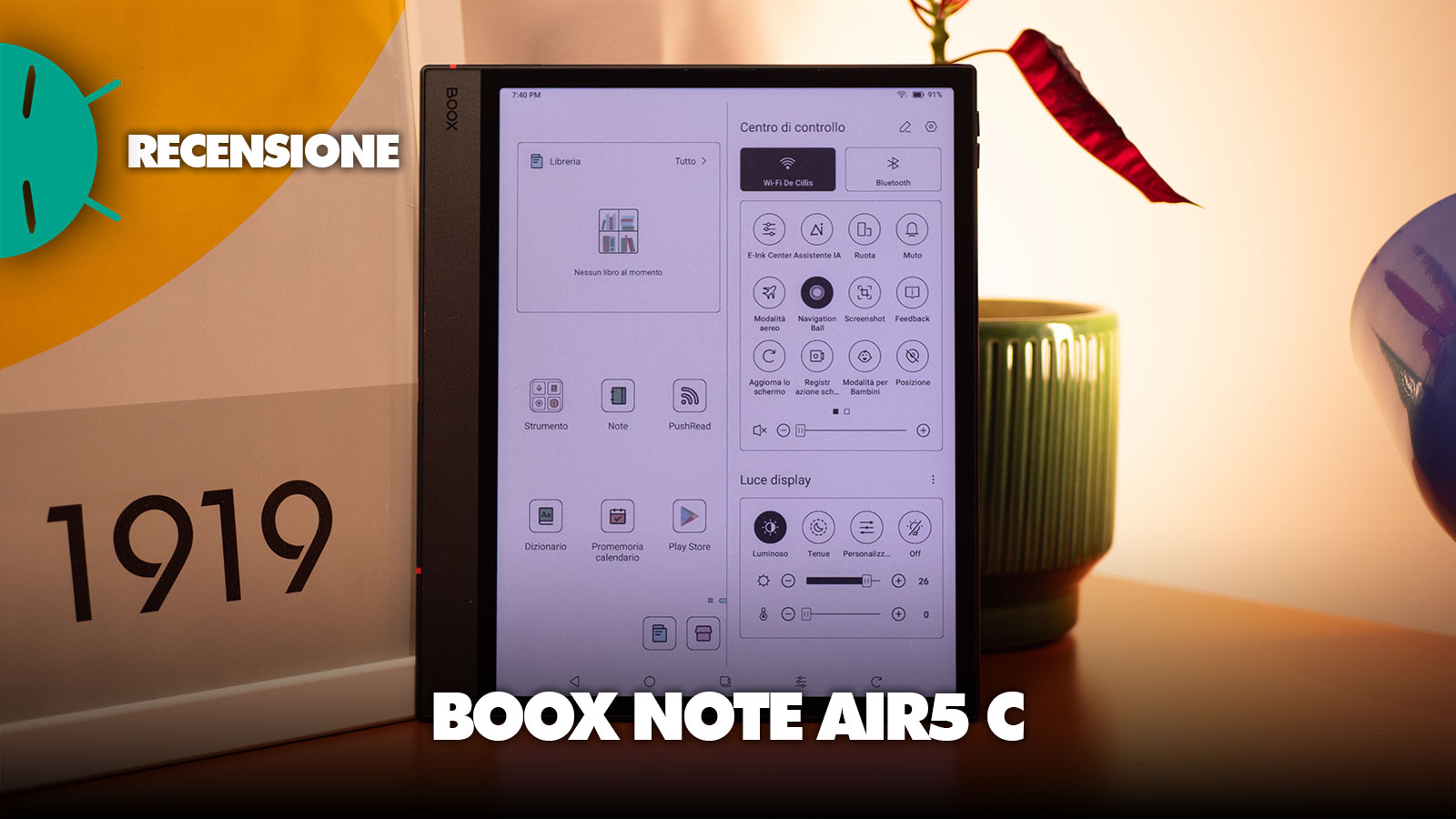
The real novelty, which makes this product different from competitors, is certainly the adoption of Android 15. This is not just a technical note, but a radical shift in how to conceive an E-Ink device, because it guarantees not only longer longevity thanks to the latest security patches, but transforms the tablet into an open system. Unlike the closed ecosystems of many competitors, here the Google Play Store is preinstalled and fully functional, with the possibility of accessing the infinite catalog of apps, and thus even to solutions like Kindle, Notion, Outlook or Spotify, which would allow this device to become a natural extension of your smartphone or computer. Onyx has learned to shape Android through its proprietary Boox OS, which has been optimized to minimize the intrinsic limits of electronic ink; for example, the navigation bar and gestures are extremely intuitive, and you can switch with a simple swipe from reading to the notes app, or call up the Control Center to manage every technical aspect with surgical precision.
When talking about a device that integrates a color display and such a powerful processor, autonomy is a chapter that requires realistic expectations. The 3,700 mAh battery must power not only the Kaleido 3 panel, but above all the demanding Boox Super Refresh technology, which represents the most significant energy consumer of the entire system. If used exclusively as a traditional ebook reader with the lighting off, the Note Air 5C can guarantee around 30 hours of continuous use, but the situation changes significantly when you enable the color component or use the faster refresh modes to browse the web or use third-party apps.
The Boox Note Air 5C hits the market with a list price around 529 euros (often found around 500 euros thanks to offers from major stores), a figure that rightly places it in the high end of digital notebooks. It isn’t an impulse buy, but an investment aimed at a very specific user category: professionals, academics, and university students who need much more than a simple ebook reader.
The real added value isn’t just the color, which remains an extremely useful tool for highlighting and cataloging information, but the open ecosystem guaranteed by Android 15, useful to install any application and manage your files in the cloud without frictions that justify the expense compared to cheaper or closed solutions.
I link di acquisto presenti in questo articolo generano una piccola commissione per GizChina.it. Scopri tutti i dettagli qui.
Se non visualizzi correttamente il box qui sotto, prova a disattivare AdBlock.
⭐️ Scopri le migliori offerte online grazie al nostro canale Telegram esclusivo.